New in 1.3
Compare responses
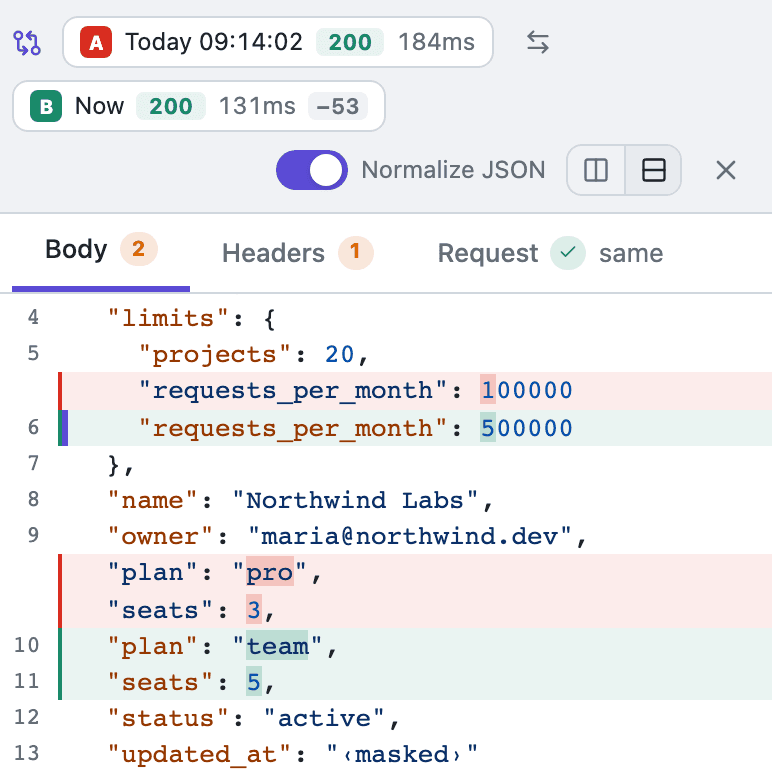
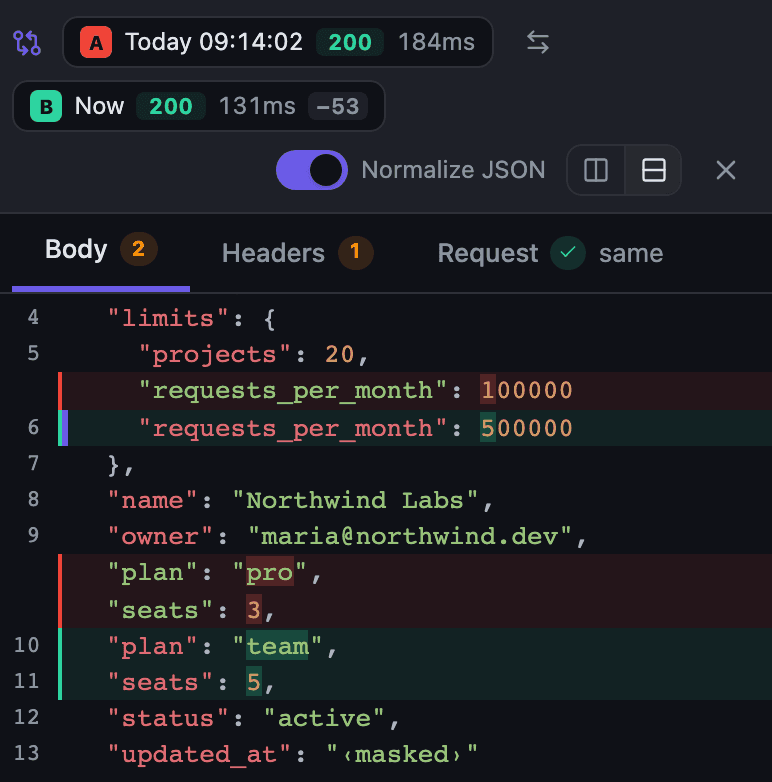
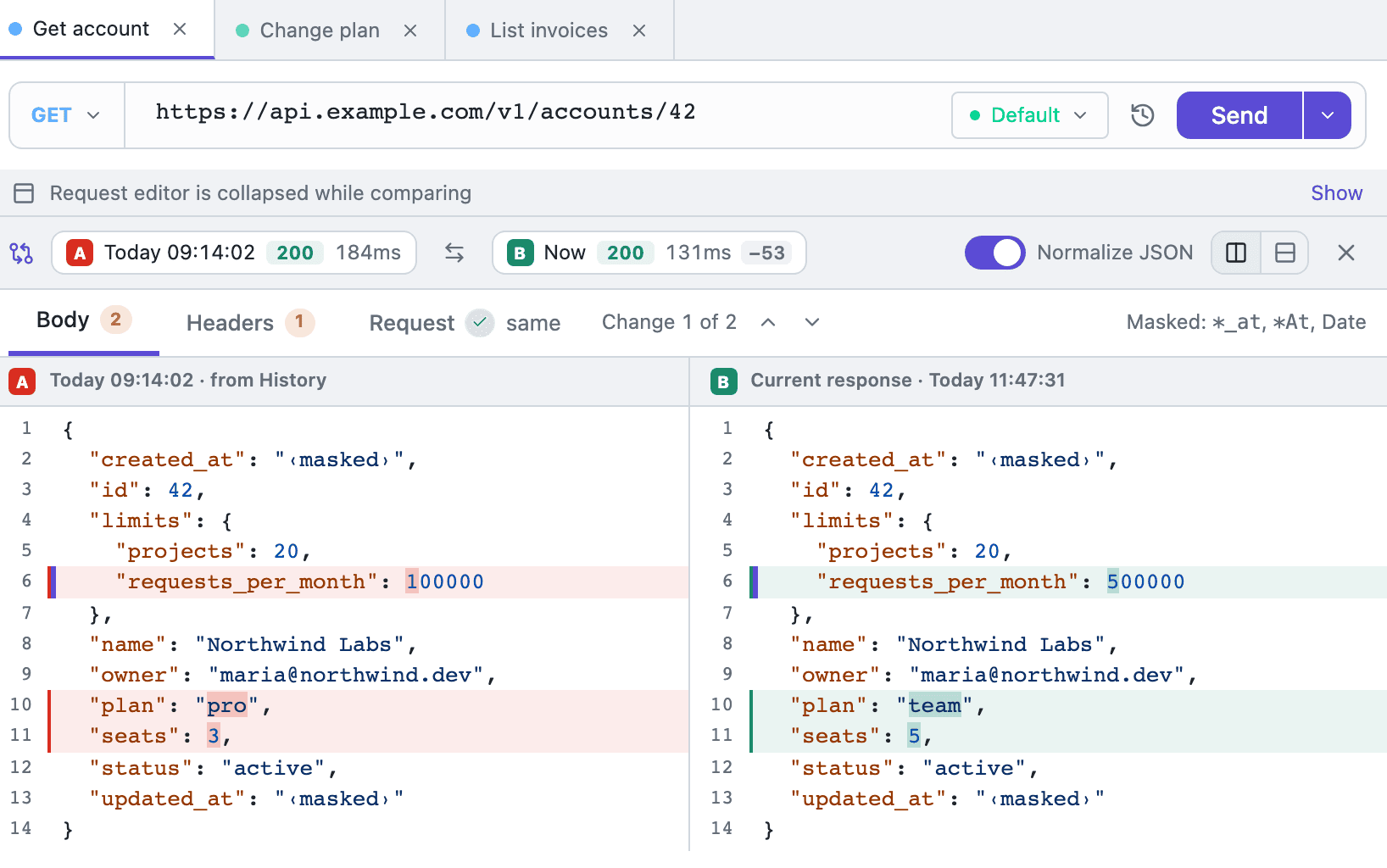
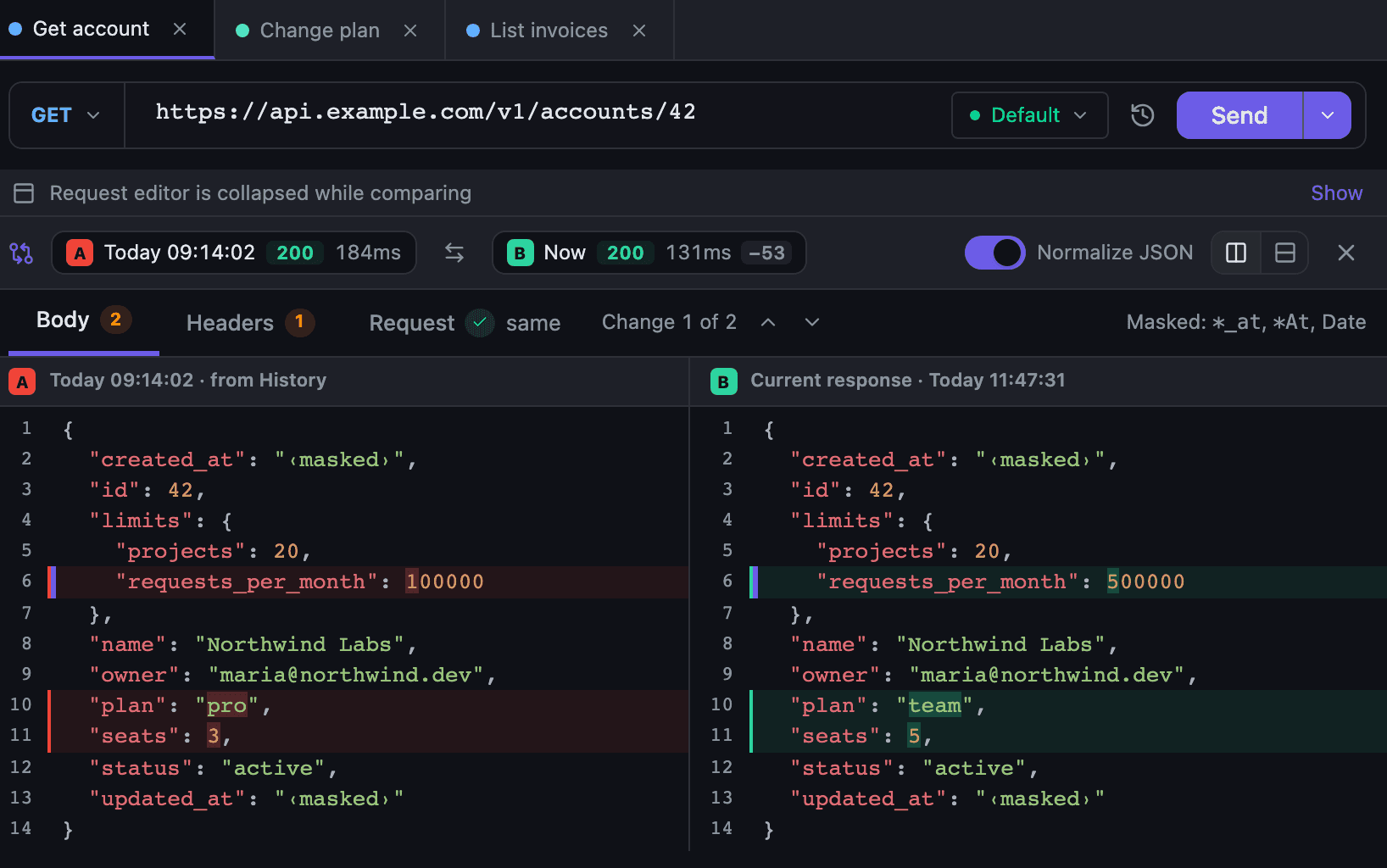
The Compare button on the response panel shows what changed since the previous send: the body, the headers and the request itself, split or unified. Normalize JSON ignores key order and timestamps.
Tetiva
v1.3.1
An open-source desktop client for HTTP, gRPC, GraphQL, and WebSocket. A tool, not a platform.
30 MB · WebView · MIT
HTTP · gRPC · GraphQL · WS
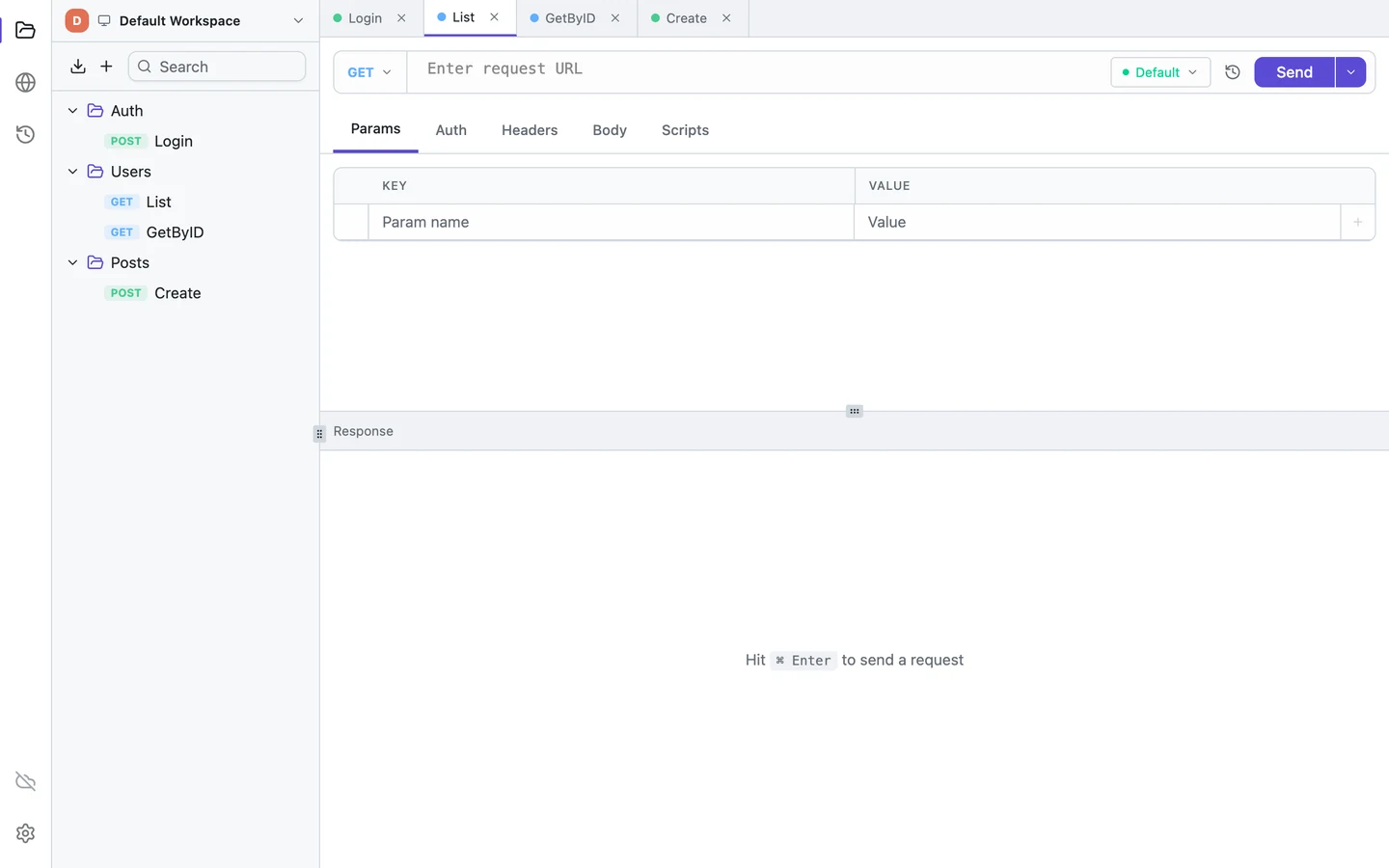
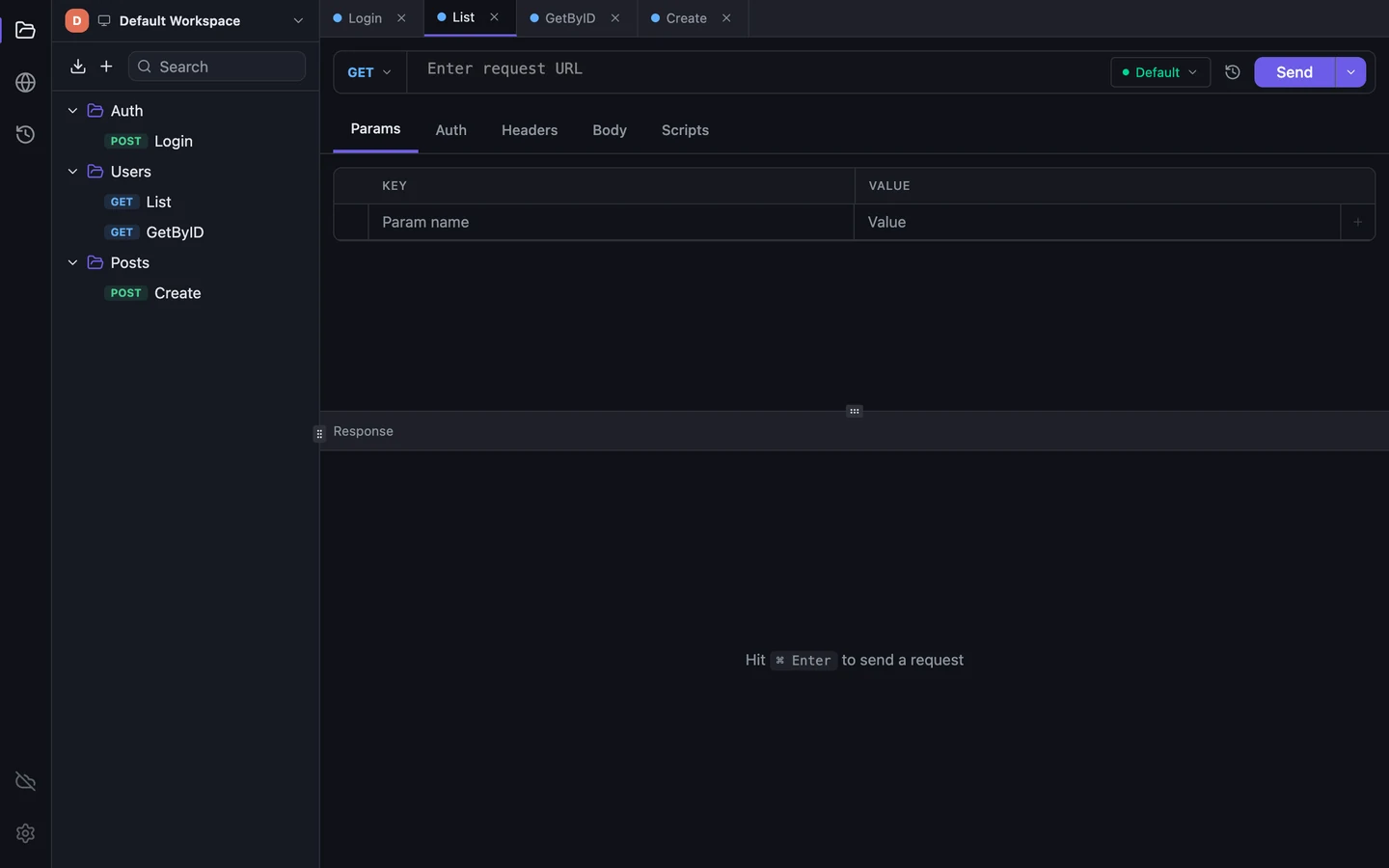
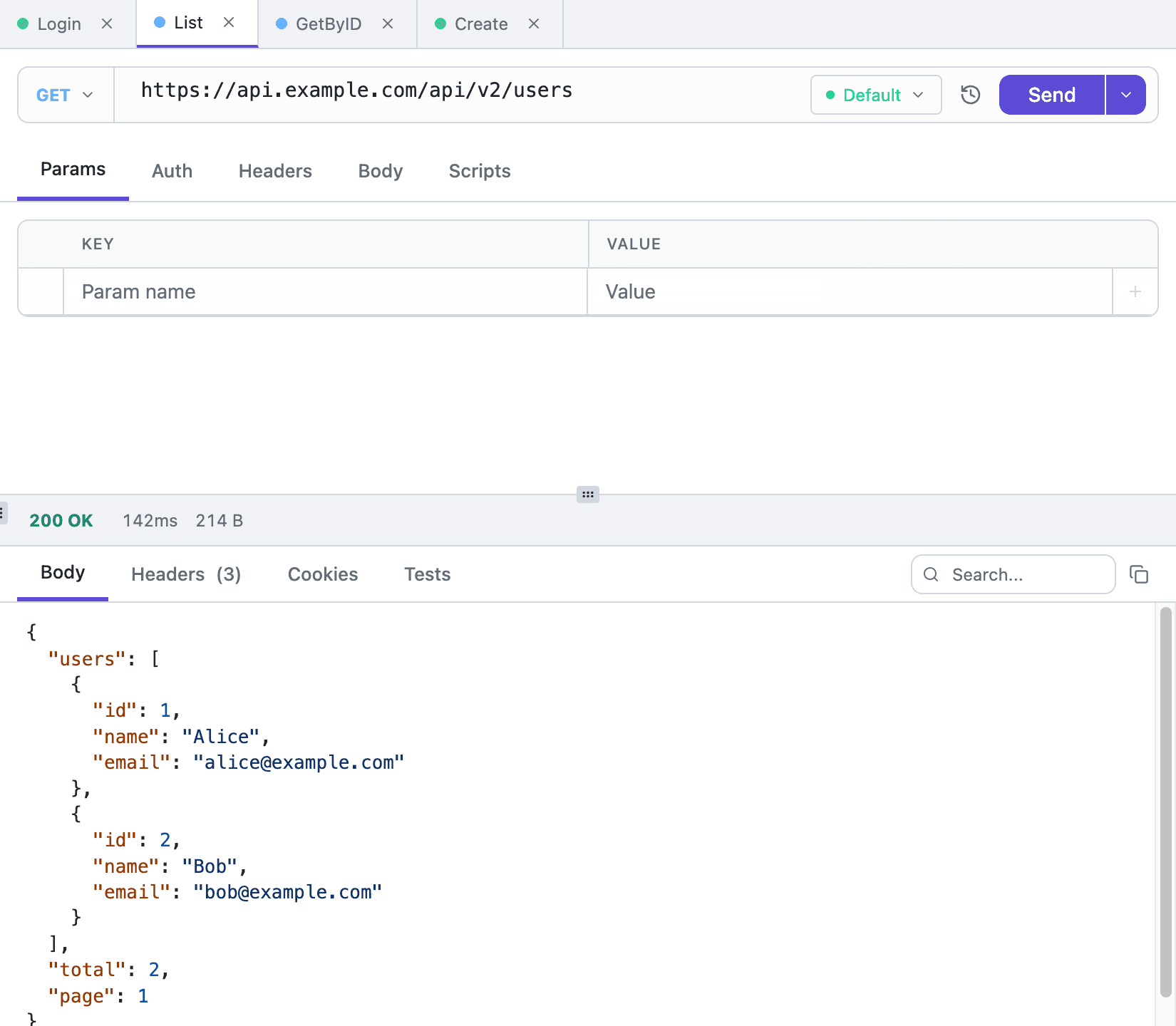
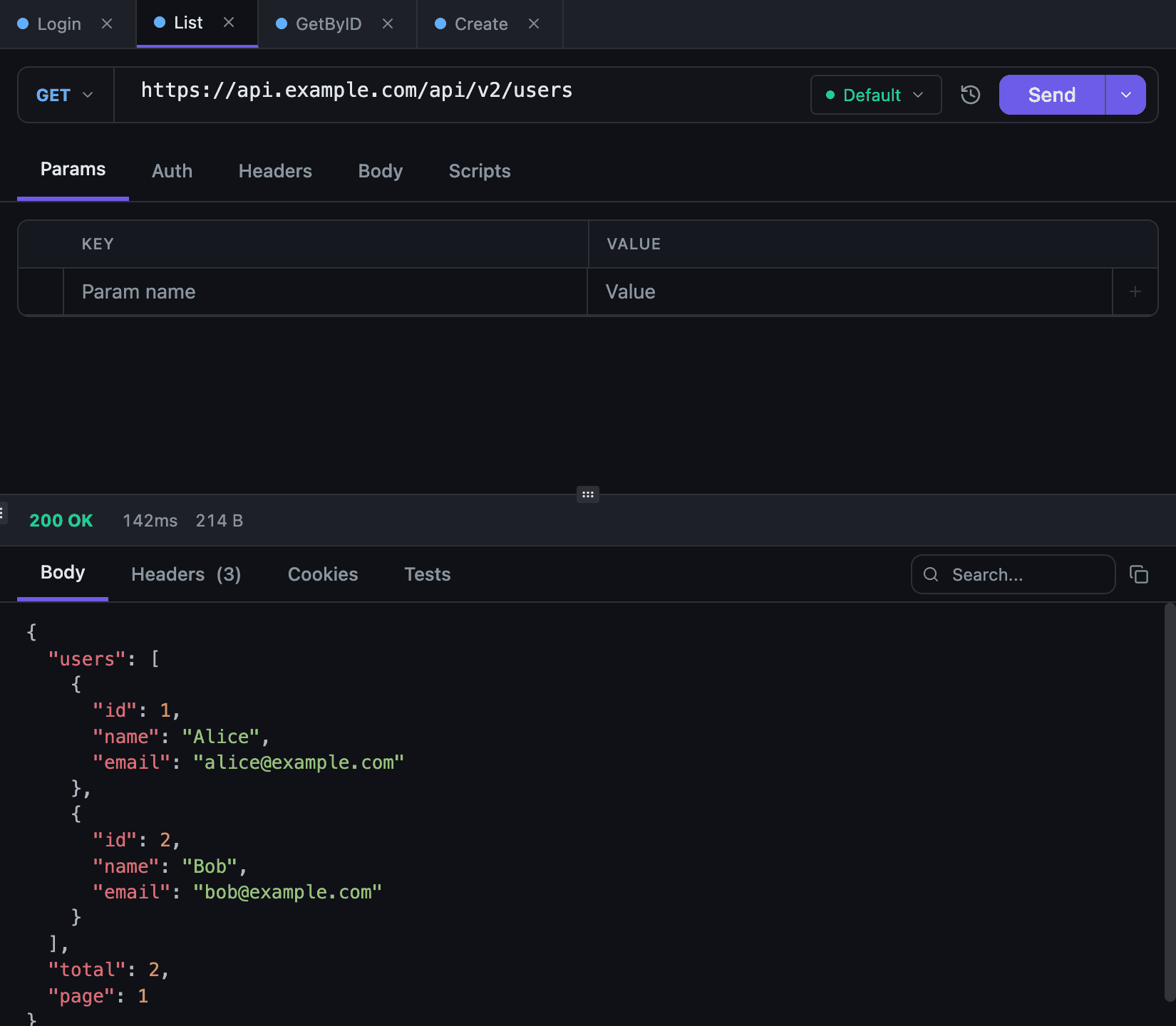
Staging is up, standup is in five minutes, and you just need one clean answer. Open the client, send the request, watch the green 200 appear, check the status bar, skim the raw bytes. That's the whole flow. While heavy clients are still loading, you're already done with the first request and on to standup.
Schema reflection
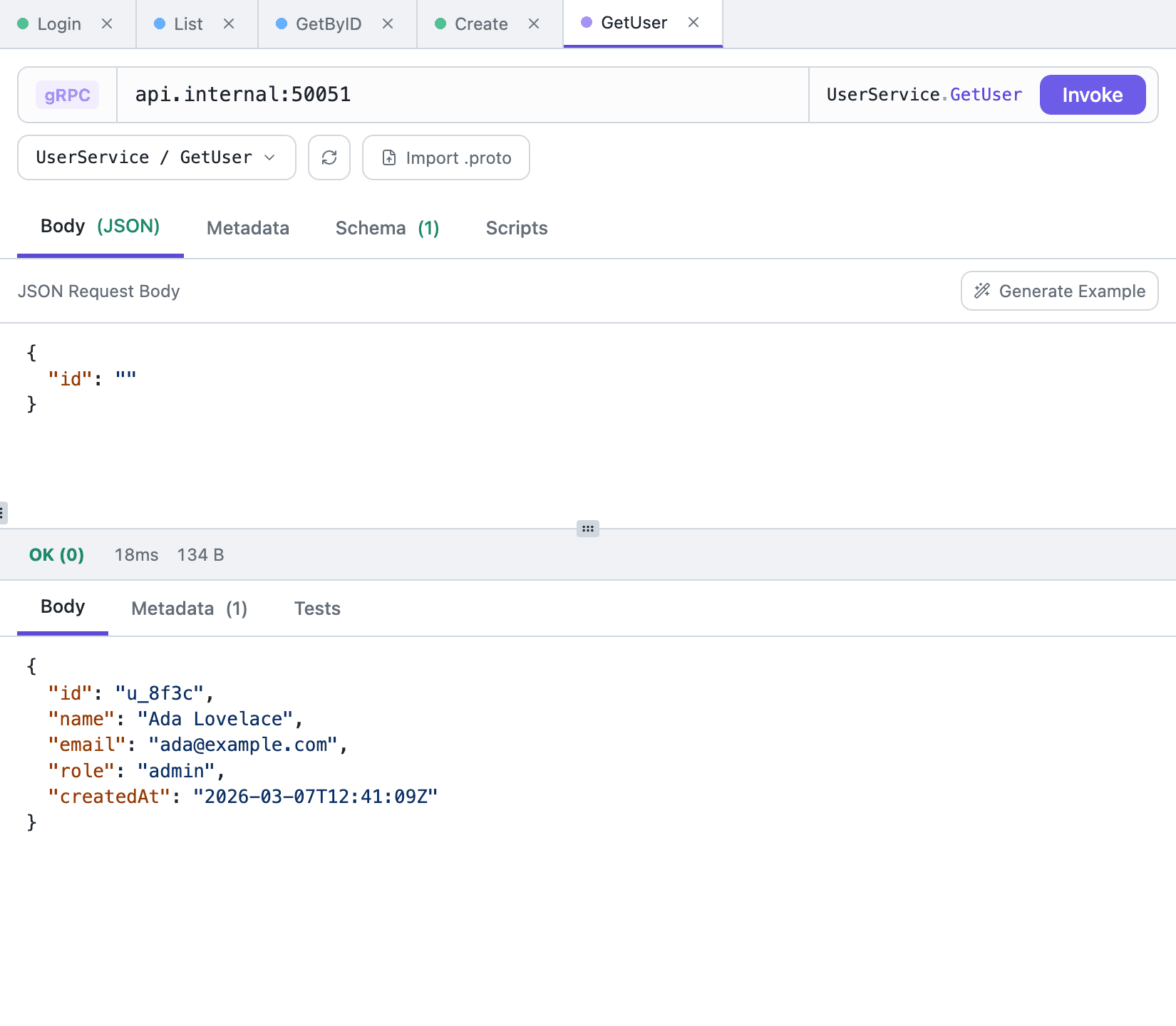
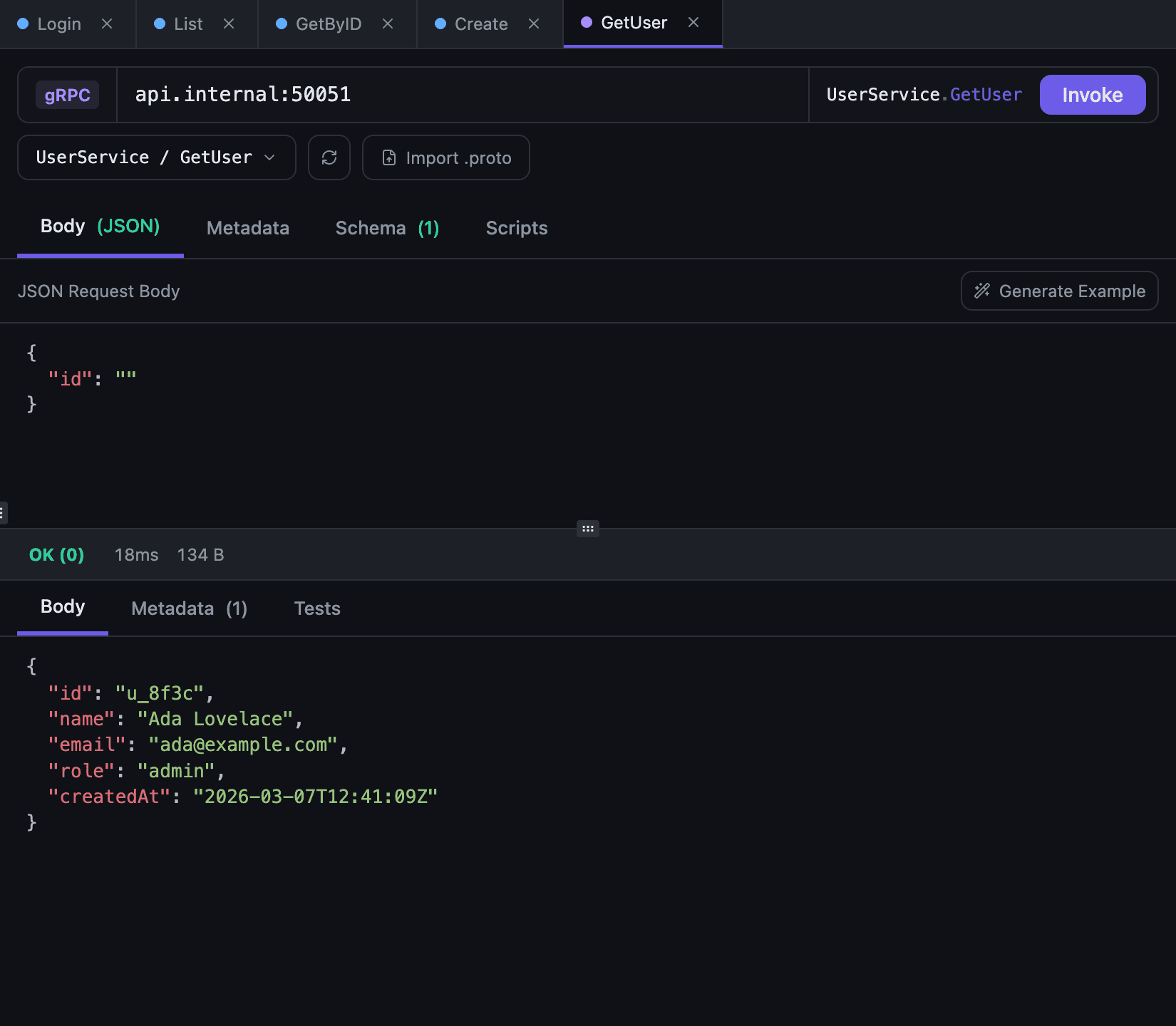
The useful part of gRPC starts when you stop hunting through proto files. Drop in the endpoint, let reflection pull the schema, or import the .proto files when reflection is off. Pick a unary method, and one click gives you an example payload with the right shape, so you test the method instead of reconstructing it. Streaming methods are listed with their call form; only unary calls can be invoked today. A grpcs:// address is called over TLS.
Sandboxed JS
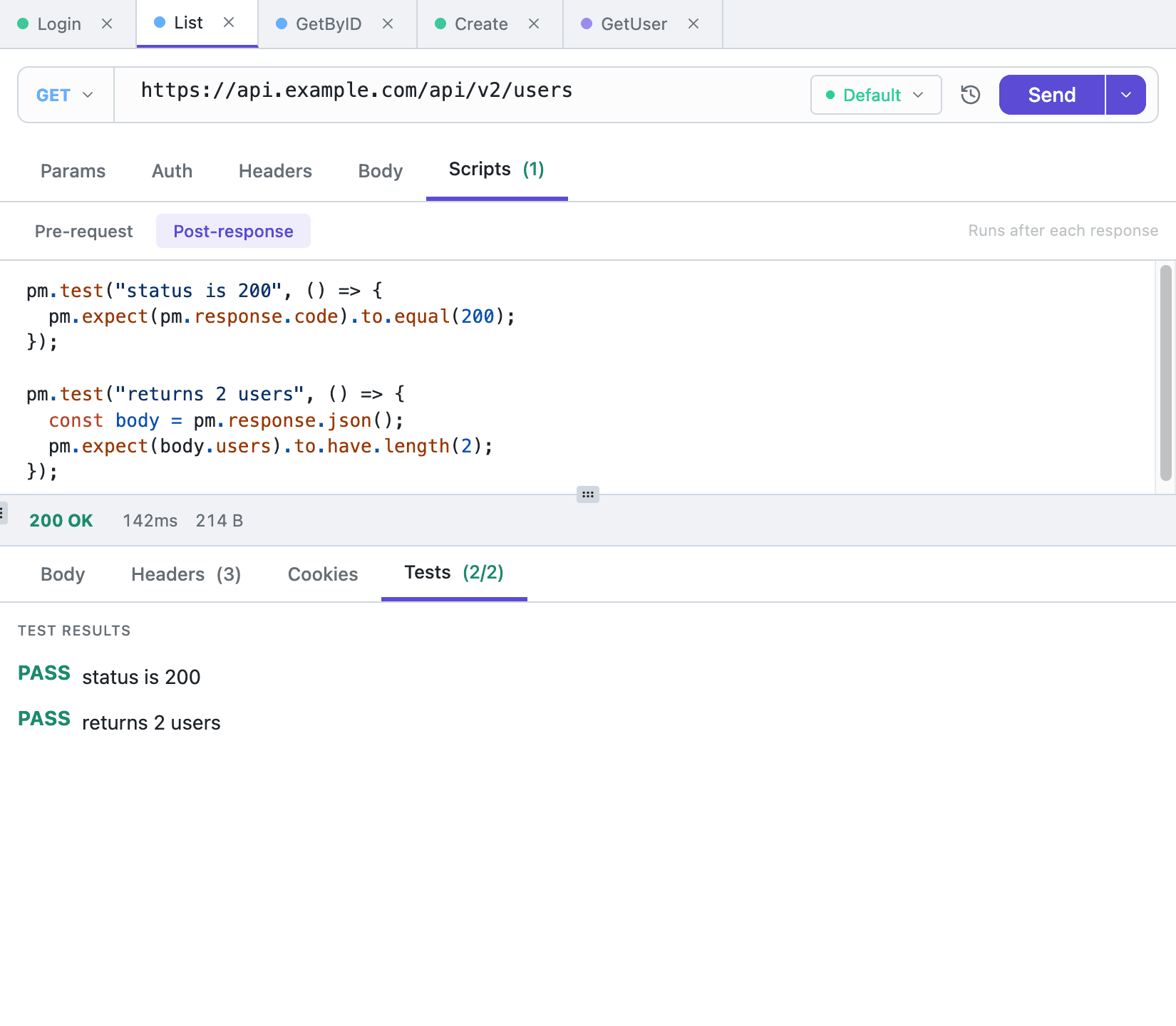
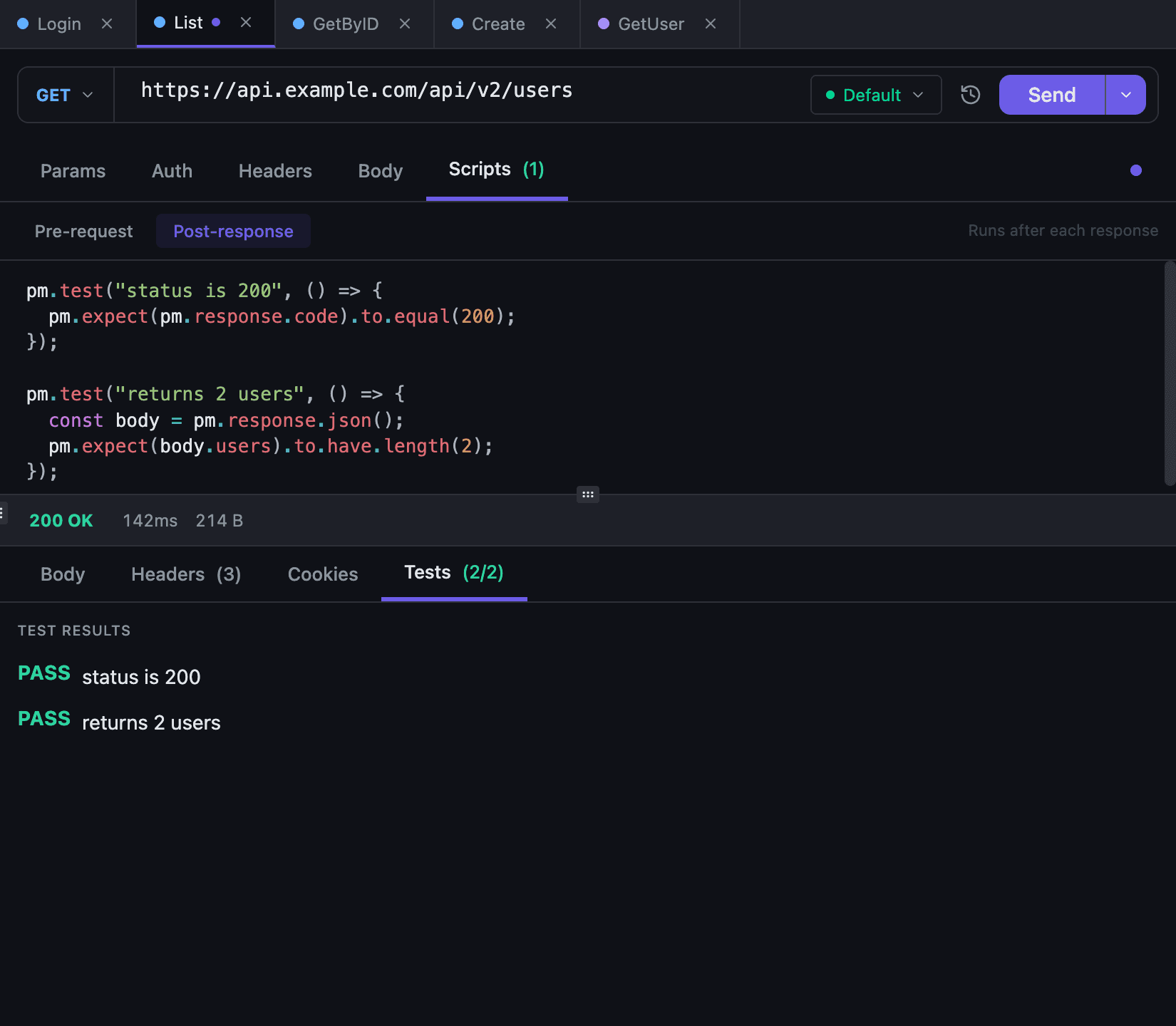
This is for the boring useful stuff: stamp a token before send, check a field after response, fail loudly when a contract drifts. Scripts run in a locked-down Goja sandbox. No files to poke at, no network to phone home, five seconds max. The result shows up right beside the response.
Scripting and the pm.* surface →
Opt-in sync
We treat your API work as your data, not ours. Sync is opt-in: SQLite on your machine stays the source of truth, and nothing leaves it until you connect a workspace to Tetiva Cloud.
Public collections
Your collection becomes a page on share.tetiva.app, with descriptions, response examples and a code snippet for every request. Send the link to partners or the team next door: they read the page in a browser and pull the collection into their own Tetiva with the Open in Tetiva button. Secret variable values, cookies and OAuth tokens never reach the page.
Beyond the basics
New in 1.3
The Compare button on the response panel shows what changed since the previous send: the body, the headers and the request itself, split or unified. Normalize JSON ignores key order and timestamps.
Agents and LLM tools call your collections over MCP.
Switch dev, stage, and prod without editing requests.
Postman, Insomnia and Hoppscotch collections, OpenAPI specs and HAR files move over in a couple of clicks.
The menu next to Send copies the request as cURL, Python, Go, Java, C#, PHP or JavaScript.
Save a response as an example; it syncs along with the request.
The cookie jar keeps sessions between requests automatically.
Keep projects and teams apart without mixing collections.
Send, switch tabs, find a request — without touching the mouse.
Demo
The client opens right in your browser — no signup, no install, no email. Same interface, sample data.
Community
No invented download counters, no logo walls for gravitas. Here is what actually exists today — and it grows with every release. Pre-v1.0 is the best time to influence the product.
| Tetiva | Postman | Insomnia | Bruno | Yaak | |
|---|---|---|---|---|---|
| Install size | ~30 MB | ~140–160 MB | ~350–580 MB | ~100–160 MB | ~40–77 MB |
| Account | Not required | Encouraged, lightweight mode optional | Scratch Pad only without an account | Not required | Not required |
| Telemetry default | None | Yes; in 2025 sent full URLs despite privacy settings | Yes (opt-out) | None | None |
| Built-in sync | Cloud, realtime (optional) | Cloud only | Cloud + Git, server is closed | Git/files | Git/files |
| Protocols | HTTP / gRPC / GraphQL / WS | HTTP / gRPC / GraphQL / WS | HTTP / gRPC / GraphQL / WS / SSE | HTTP / GraphQL / gRPC / WS | HTTP / gRPC / GraphQL / WS / SSE |
| MCP server for AI agents | Built into the client | No | MCP client (connects to external servers) | No | Plugins |
| Scripts sandbox | Sandboxed JS (no FS, no network, 5s) | Postman JS | Insomnia JS | Inline JS | Plugin API |
| License | Client — MIT; cloud plans free tier + paid | Commercial | Apache 2.0 (client), sync server closed | MIT (core), Golden Edition commercial | MIT + paid binary licenses |
| Built with | Wails + Go + Vue | Electron | Electron | Electron | Tauri + Rust + React |
Sizes from official distributions as of 2026-06-10 (vary by OS). Verify before relying on for tool decisions. Postman telemetry row: Postman Security Update: Fixing a URL Exposure Risk in "Related Requests", 2025-06-17, https://blog.postman.com/postman-security-update-fixing-a-url-exposure-risk-in-related-requests/ (fixed in v11.46.5); privacy-toggle evidence: postmanlabs/postman-app-support#13615, 2025-06-04.
Need the full picture? Read the Postman alternatives comparison, see Tetiva as a Postman alternative, or check exactly what imports from a Postman v2.1 collection.
Pricing
Free
The whole client, plus cloud with limits
$7/ mo
Or $70 a year — two months free. Also in euros: €7 / €70
Everything in Free, plus:
$39/ mo
Up to 5 people (need more? Contact us). Or $390 a year. Also in euros: €39 / €390
Everything in Pro, plus:
Contact us
Per seat, from 5 seats, annual contract. Deployed in your perimeter
Everything in Team, on your server:
The desktop client is free and open source. The contents of collections, requests, environments and variables are encrypted at rest in the cloud (AES-256-GCM); the master key lives apart from the database.
Write to us — about a plan, an invoice for your company, or a bug. We answer on business days, usually the same day.
or by email support@tetiva.app
No accounts, no waitlists, no sales calls. Download, open, and send your first request within a minute.
Free and open source. A tool, not a platform.