checked
A Postman alternative for developers who only need the client
Tetiva is a desktop API client for developers who send requests, read responses and want nothing else installed alongside. It installs at about 30 MB and does not require an account. If you are still picking a tool, our five-client review covers Insomnia, Bruno, Yaak and Hoppscotch too; this page is Tetiva against Postman.
Send requests without creating an account
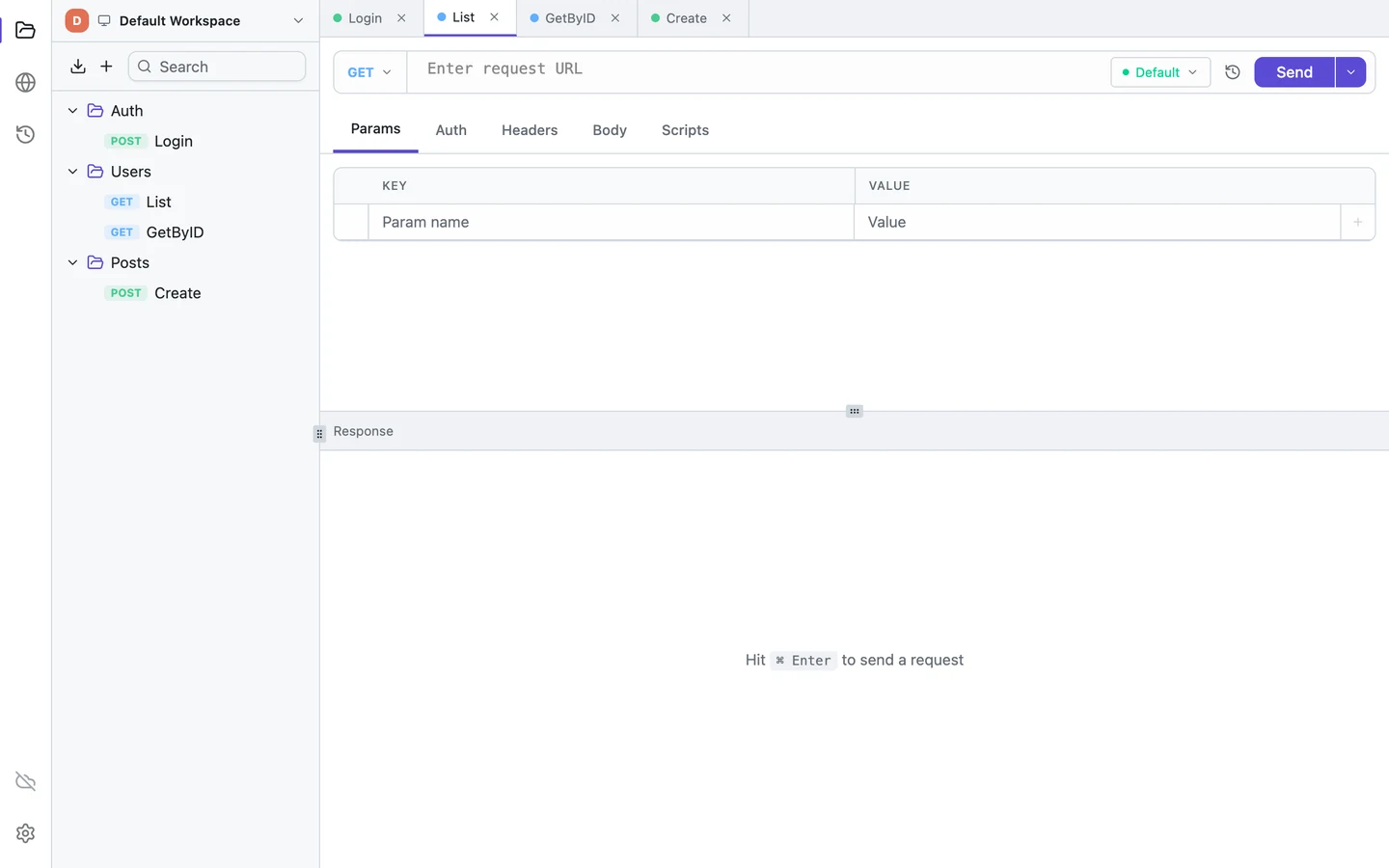
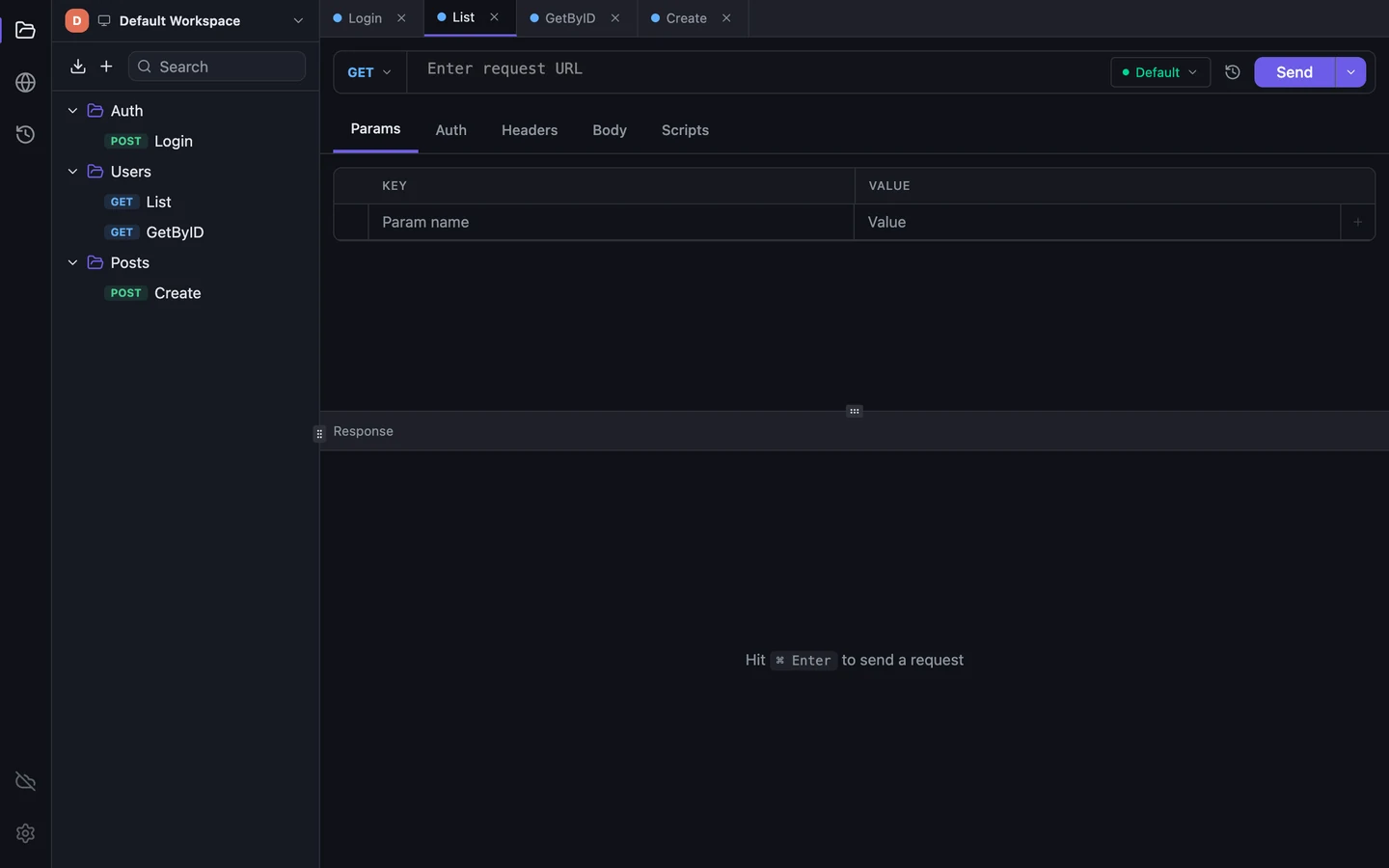
There is no sign-in wall. The first launch asks whether you want to work locally or connect an account, and choosing local gates nothing. From there: create a collection, add a request inside it, type a URL, press Cmd/Ctrl+Enter. The response pane reports the status code, the duration and the body size, with Body, Headers, Cookies and Tests below it. The quick start walks through those four steps.
Collections, environments, cookies and history live in a local SQLite file, so the app works with the network off. The one request it makes on its own is the update check: at startup it reads a version manifest, at most once every ten days, with no headers attached. Switch that setting off and it makes none. The app sends no analytics.
What imports from Postman
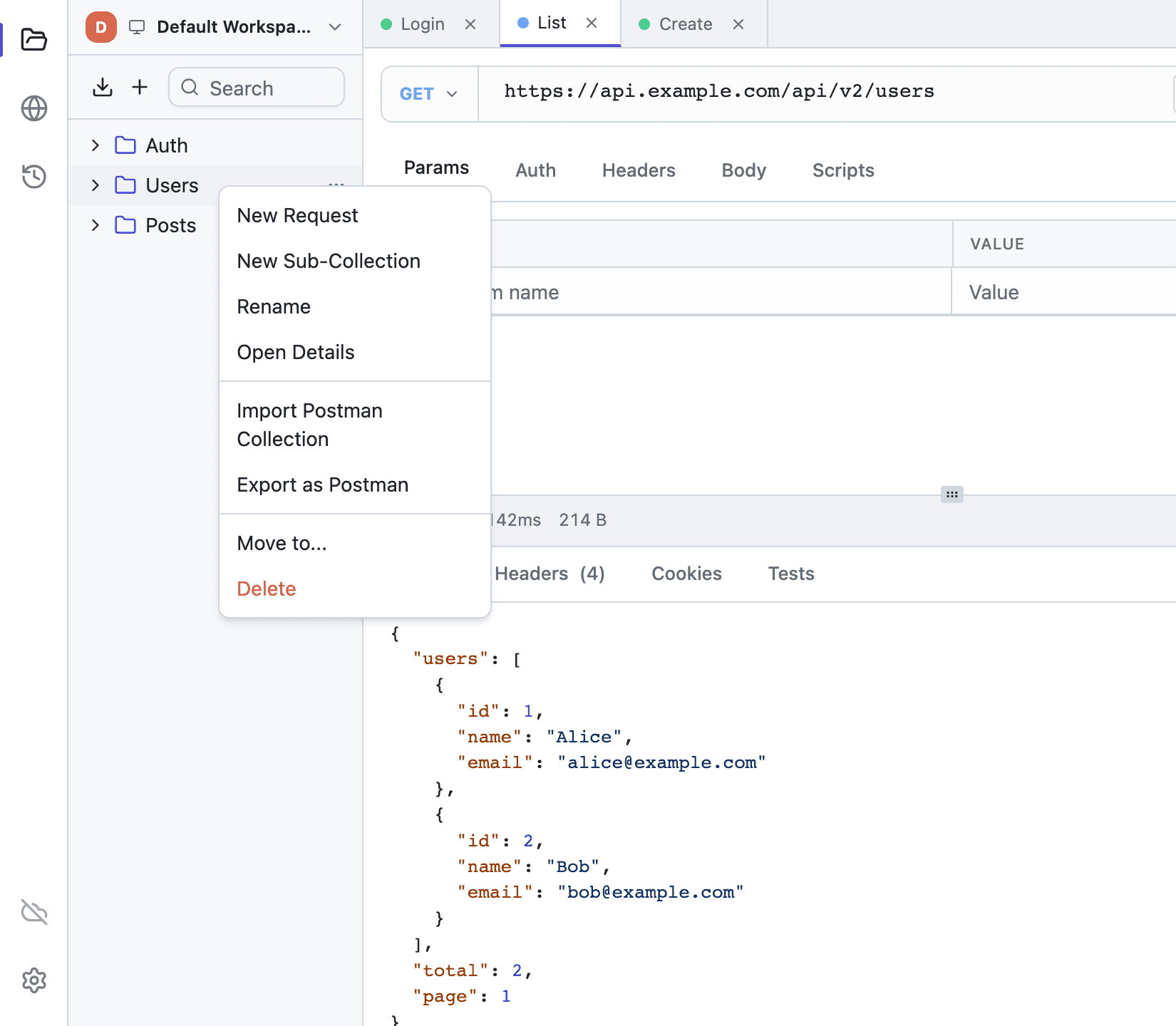
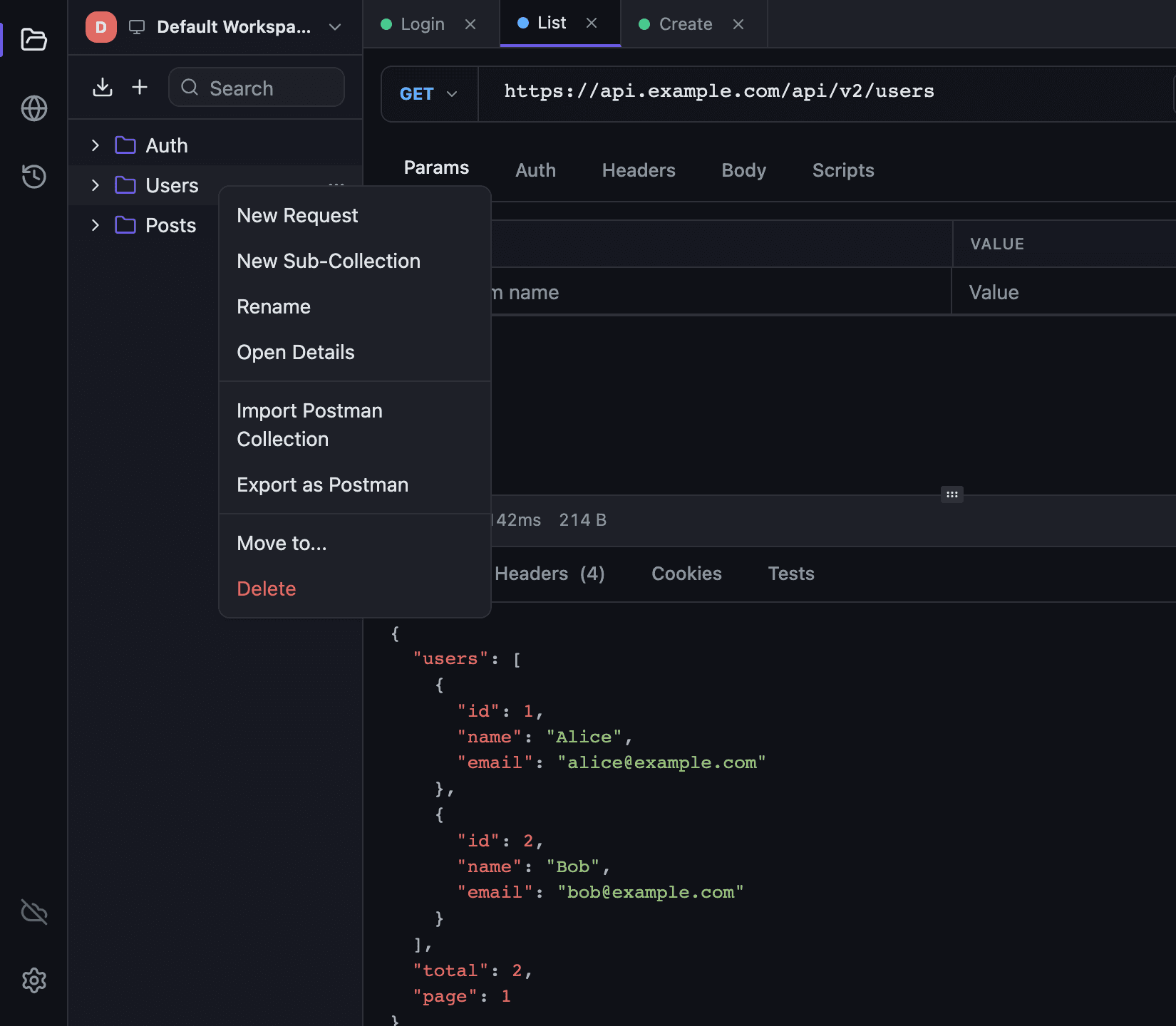
Export the collection as Collection v2.1 and import the file from the sidebar header, or from the context menu of an existing collection. Folders become nested collections; requests keep their name, method, URL, headers, body and auth. Environments travel as separate files, and variables marked secret in Postman stay secret here. A toast reports what arrived: "Imported: 4 folders, 27 requests".
Some of it you rebuild. Scripts and collection variables do not carry over, and a request has no description field in Tetiva yet, though collections and folders do. Form-data file fields are picked again; urlencoded and binary bodies arrive empty. Auth deserves a second look for two reasons: anything that relied on the collection's auth in Postman arrives set to No Auth, so switch those requests to Inherit, and the importer writes an API key into the header even when Postman kept it in the query string.
Scripts are the real rewrite. Tetiva runs them on goja, which is JavaScript but neither Node nor a browser, and implements pm in part. pm.environment.get/set/unset, pm.request.headers.upsert, pm.response.code, pm.response.json(), pm.test and console.* work. pm.expect, pm.sendRequest, pm.collectionVariables and require() do not, so an assertion is a plain throw. The migration guide has the full mapping and the same test written both ways.


Tetiva vs Postman
| Tetiva | Postman | |
|---|---|---|
| Install size | ~30 MB | ~140–160 MB |
| Account | Not required | Encouraged, lightweight mode optional |
| Telemetry default | None | Yes; in 2025 sent full URLs despite privacy settings |
| Built-in sync | Cloud, realtime (optional; self-hosting planned) | Cloud only |
| Protocols | HTTP / gRPC / GraphQL / WS | HTTP / gRPC / GraphQL / WS |
| MCP server for AI agents | Built into the client | No |
| Scripts sandbox | Sandboxed JS (no FS, no network, 5s) | Postman JS |
| License | Client — MIT; cloud plans free tier + paid | Commercial |
| Built with | Wails + Go + Vue | Electron |
Checked on 2026-06-10: install sizes come from the official distributions and vary by OS. The telemetry row rests on Postman's own security update of 2025-06-17, about "Related Requests" sending full request URLs to its backend, fixed in v11.46.5, together with the privacy-toggle report in postmanlabs/postman-app-support#13615 of 2025-06-04. Both are worth re-reading before a tool decision rests on them.
Where Tetiva is not a replacement
Postman is an API platform; Tetiva is a client. Monitors, hosted documentation, mock servers, saved examples and Flows have no equivalent here. If your team runs on those, staying is the sensible answer.
CI is the other gap. A standalone MCP server CLI ships with the desktop app, which covers an AI agent or a local test run, but a Newman-style runner for pipelines is on the roadmap rather than in the product.
gRPC has its own limits. Only unary methods can be invoked; streaming ones show up in the picker and refuse to run. The connection is plaintext, so an endpoint behind TLS termination is out of reach for now.
Four protocols in one window
HTTP. The URL string is the source of truth: query parameters are parsed out of it into the Params tab and written back whenever you edit the table. Every header carries its own checkbox, which is how two Authorization values sit side by side without deleting either. Content-Type is filled in from the body type unless you typed one yourself, and cookies go into a per-workspace jar that survives a restart.
gRPC. The schema arrives over server reflection or from .proto files, a single file or a directory walked recursively, and the picker searches services and methods together. Generate Example builds a JSON message from the input type, which is scaffolding rather than a valid request. There is no Auth tab: a call carries its token in metadata. Details on the gRPC client page and in the docs.
GraphQL. Load Schema runs an introspection query, after which the editor completes fields and underlines selections the schema will not accept. The operation picker generates an example body along with its variables. On the wire it is an ordinary POST carrying query, variables and operationName.
WebSocket. The tab is an address, a Connect button, a live log and a composer. Incoming and outgoing frames are colored differently, and a click expands the full payload of a row. That log is in memory and goes away with the tab; the history records only that a connection was opened.
Frequently asked questions
What carries over from a Postman collection?
Folders, requests, headers, bodies and auth, with the exceptions the migration guide lists: form-data files are picked again and binary bodies are rebuilt. Scripts and collection variables do not carry over — you rebuild them by hand; per-request descriptions have no place in Tetiva yet.
Does Tetiva replace everything Postman does?
No. It is a desktop client for sending, debugging and testing requests. Postman monitors, hosted documentation, mock servers and Flows have no equivalent in Tetiva.
Does it work offline?
Yes. Collections, environments, cookies and history live in a local SQLite file. Sync is opt-in and only runs when you connect a workspace to Tetiva Cloud.
Which platforms are supported?
macOS (universal, notarized) and Windows (x64 and ARM64). A Linux build is coming; there is no browser version.