Friday, 6:40 pm: the request went to the wrong environment
Friday, 6:40 pm. You're cleaning up your test data on staging: delete user 42, the one you created this morning to check a bug. You pick the request and hit Send. Back comes 204 No Content in 38 milliseconds. Done. Time to go home.
Then your eye drifts to the right end of the URL bar. It says prod.
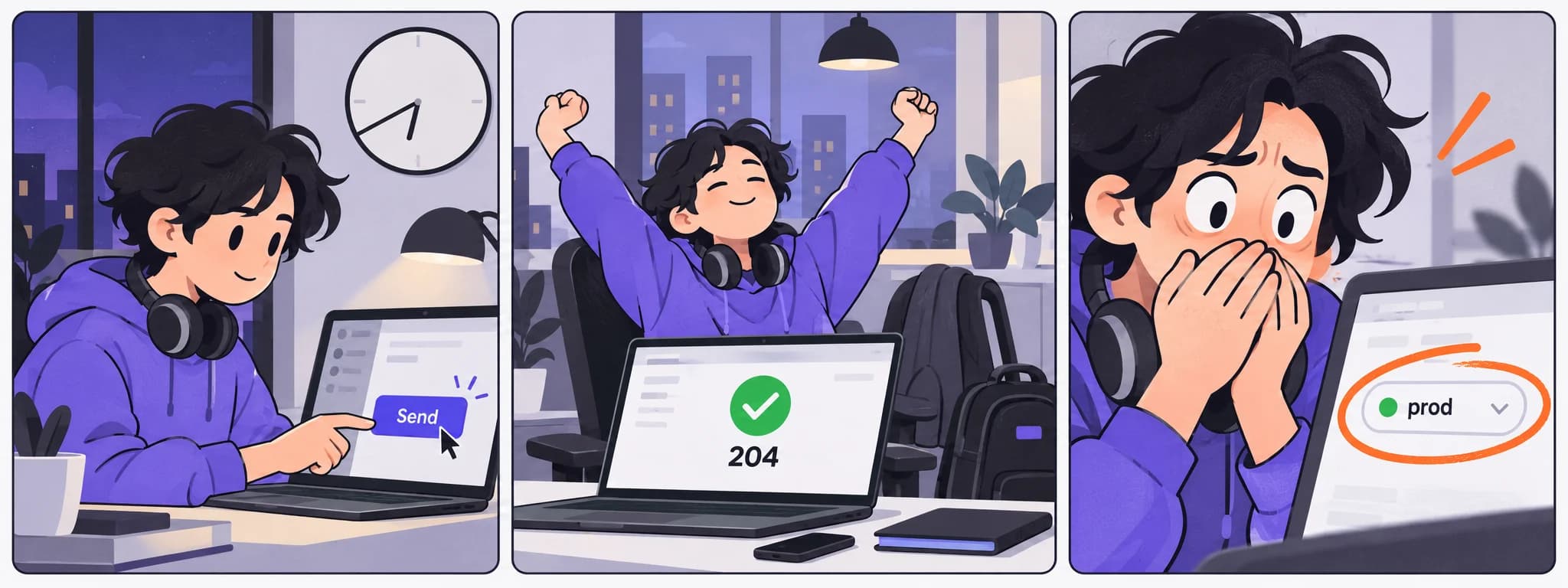
This morning a customer complained, and you switched to production to look at their order. You looked, sorted it out, and never switched back. Seven hours later, production was still selected.
If this has never happened to you, you probably don't have production access. Everyone else probably remembers checking the address on every single request for a week afterwards, then slowly going back to not noticing the switch.
What environments and variables are, minus the jargon#
An environment is a set of variables: the server address, a token, anything that changes from one server to another. The API client substitutes them into the request in place of {{name}}, so when you switch environments, the same request goes to a different server.
A request in an API client is like a letter template. It doesn't say "send to api.shop.example". It says "send to {{base_url}}". The curly braces mean: fill this in from whichever address book is open right now.
That address book is an environment. Most teams have three: dev for your own machine, stage for the test server and prod for the real one. The keys are the same everywhere, but the values differ: base_url exists in all three, with a different address in each.
This exists for a good reason. Without environments you'd keep three copies of every request, and within a month they would drift apart (we have a separate story about how copies drift). With environments there is one request, and you only switch the address and the token.
In Postman the environment switch sits in the top right corner. Besides the environment, variable values can also be global or belong to the collection, and when names clash the narrower scope wins. Tetiva has a single level: a variable comes only from the active environment.
The catch is that one small control decides where the request goes, and that control is very easy to miss.
Why your eye doesn't see prod#
The URL bar shows {{base_url}}/users/42. That looks identical on every server. The real address gets filled in at the last moment, after your finger has already pressed Send.
The environment switch is small and always in the same spot. After fifty switches a day it turns into part of the furniture, like a power socket, and your brain stops reading it.
Environments are also sticky. They don't reset when you close a tab or move to another task. Pick prod for a minute in the morning and it stays picked until evening.
Sometimes it's sneakier. People often create prod by duplicating staging and changing the values. Miss one, and you get a chimera: the address from one server, the token from another. Environments like that behave strangely, so they survive for years. Nobody dares to touch them.
And finally, the production token can usually do anything. The server will run whatever you send. It has no idea it's Friday.
How not to send a request to prod: five habits#
You don't need a new tool for these. Most of them take ten minutes in the client you already have.
1. A name that shouts. You can call an environment anything. prod is easy to overlook; PROD CAREFUL is not. Clunky, but you'll notice it.
2. Prod lives on its own. If your client has workspaces (think separate rooms, each with its own requests and settings), give production its own. In Tetiva each workspace has its own collections, environments, history and cookies, so there's only one way to reach prod: deliberately switching workspaces.
3. Go back to safe. Done looking at prod? Switch straight back to dev or to No Environment. With No Environment, {{base_url}} isn't replaced, and the request fails with an error before it reaches any server. A broken request beats a successful one in the wrong database. That's how Tetiva works. In Postman the variable may also come from globals or collection variables, and then the request still goes out, so check those too.
4. One second of hovering. Before any DELETE, hover over {{base_url}}. Many clients show a tooltip with the actual value. In Tetiva it pops up after a quarter of a second: the variable name, its current value and a link to the environment (how it works). If the variable isn't in the environment at all, it's highlighted in orange.
5. A read-only token for prod. Ask your backend team for a separate token that can look but not change anything. Then the server simply refuses an accidental DELETE, and nothing gets deleted. What those refusals look like is covered in what 401 and 403 responses mean.
If it already happened#
Your first instinct will be to fix it quietly before anyone notices. Don't. The sooner the people who own the database know, the better the chance of rolling it back.
Post in the team chat right away, short and to the point: which request, which environment, what time. The exact time and the request itself are usually in your API client's history. In Tetiva that's the History section on the left, and the request is stored there with the real address rather than {{base_url}}, so you can see at once where it went. Don't send the request again to check whether it really deleted the user. It did.
Once it's fixed, look at what made prod so easy to mistake for staging. The five habits above are a good start.
A 20-minute audit for Monday#
Better to do it before you have to post about user 42.
- Open your list of environments and delete the ones nobody on the team can explain.
- Rename prod so you can spot it from across the room.
- Check the copies: the address and the token in each environment should come from the same server.
- Lock your secret values. That protects you from an accidental screenshot; more on that in the token in the screenshot.
- Ask the backend team for a read-only production token.
By the way, user 42 on production turned out to be a test account someone created back in 2021. This time it worked out.