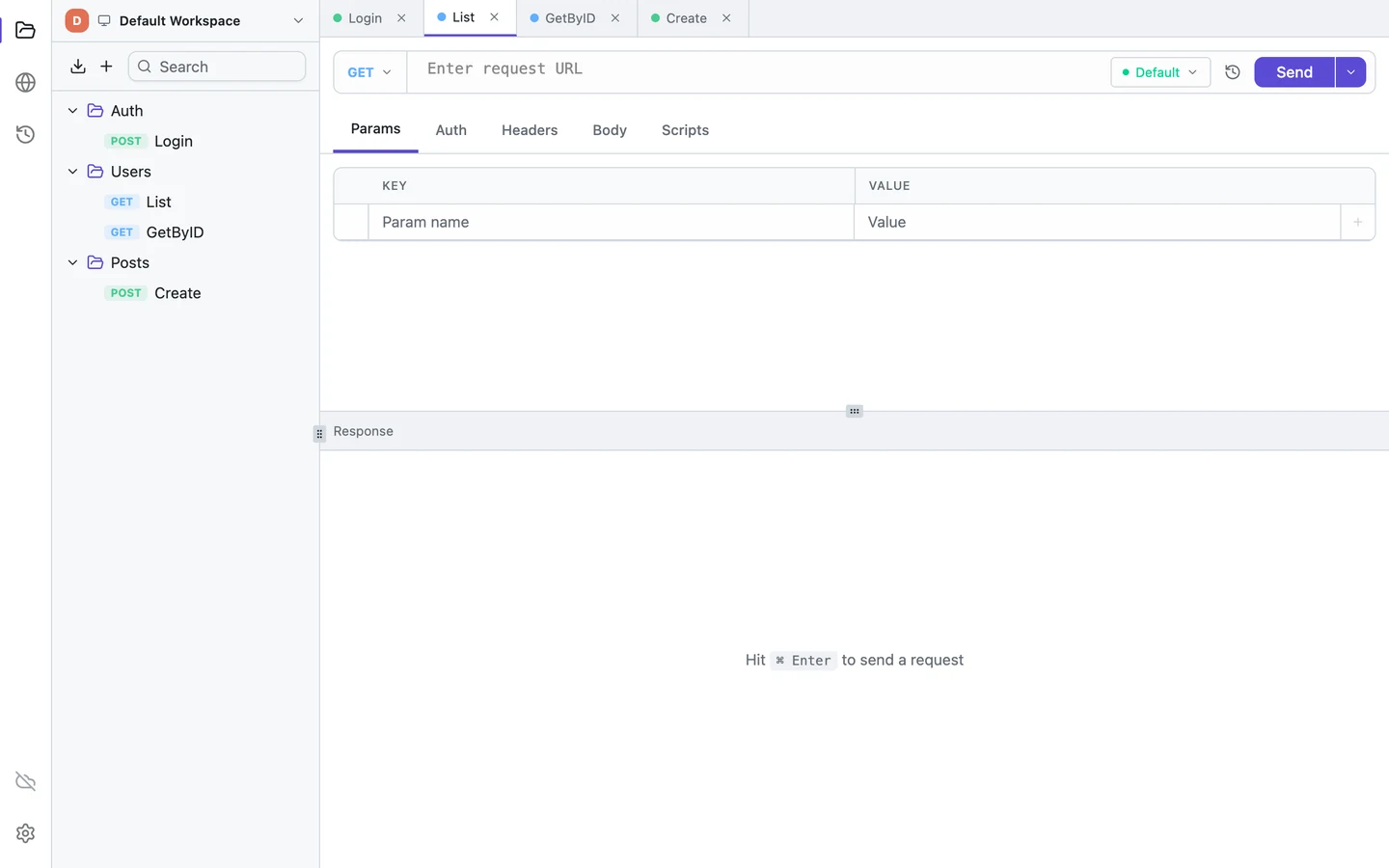
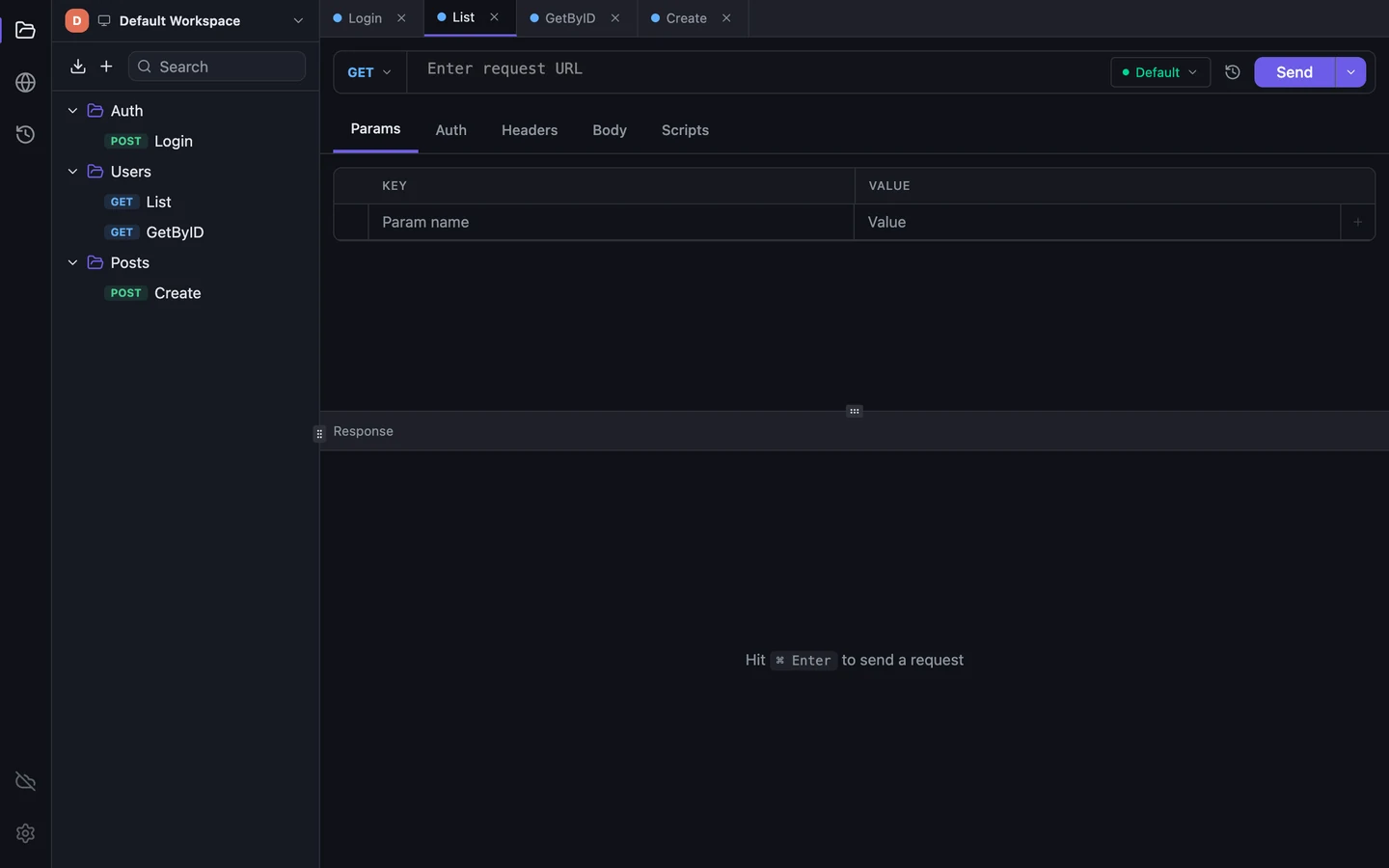
Moving requests from Hoppscotch

A Hoppscotch alternative with no browser between you and your API

A desktop client for HTTP, GraphQL, WebSocket and gRPC (unary only). The app sends requests itself, runs without an account and keeps collections in a file on your disk. The client is MIT-licensed and sends no analytics.

Tetiva
v1.3.1
  • No CORSApp sends requests
  • gRPCUnary, TLS or plaintext
  • MCPOn local data
  • arm64Windows and Linux

Tetiva vs Hoppscotch

TetivaHoppscotch
Who sends the requestThe app itselfWeb: the browser tab, a proxy, Agent or an extension; desktop: the app
gRPCUnary only, TLS or plaintext; schema from reflection or .protoNo; requested since 2019
Other protocolsHTTP, GraphQL, WebSocketHTTP, GraphQL, WebSocket, SSE, Socket.IO, MQTT
Collections when signed outA SQLite file on your diskWeb: browser localStorage; desktop: the app's data folder
MCP serverBuilt in, 33 tools, works on local datanpm package, 53 tools, needs an account
Usage analyticsNone in the clientWeb app: Telemetry setting on by default, can be turned off
Linux desktopamd64 and arm64; Ubuntu 22.04+, Debian 12+x64 only; needs glibc 2.38 (Ubuntu 24.04+)
Self-hostingYour own sync server on the Business planFree Community Edition, MIT

Checked 2026-10-03 against Hoppscotch 2026.9.0 (web) and Hoppscotch Desktop 26.9.0; Tetiva features as of 1.3.0. Hoppscotch data comes from its docs, source code and pricing page; the analytics row is based on the web app's code, and the glibc requirement was read from the 26.9.0 .deb package. Tetiva data comes from its docs and pricing page. Sources: Hoppscotch interceptors, Hoppscotch on CORS, gRPC request, issue #402, Hoppscotch Desktop, Hoppscotch MCP server, Hoppscotch self-hosting, Hoppscotch privacy policy, Hoppscotch pricing.

Open hoppscotch.io, paste a URL, hit Send. Hoppscotch describes itself the same way: its FAQ calls it "a web-based alternative to Postman, Insomnia, and Paw", and the first feature in its README is "Lightweight".

If you're testing a service on localhost:8080 or a staging box, though, the browser tab sends the request and CORS rules apply. So the lightweight client has picked up a proxy, a local Agent and a browser extension whose Firefox listing says it "removes CORS restrictions for cross-origin requests, particularly those to localhost".

Tetiva has no browser in that path. It's a desktop app for HTTP, GraphQL, WebSocket and gRPC (unary only), and the app sends each request itself. You don't need an account, and your collections stay in a file on your disk.

A three-panel comic: a developer sends a POST request from a browser window to a small localhost server on the same desk; the envelope smacks into a pane of glass while the developer grabs a puzzle piece and a ladder, with a mail tube on the wall and a little robot tugging at their sleeve; in the last panel a plain app window shows 200 OK
The server is on the same desk, and the request keeps hitting glass

What happens in the browser

The web app has a few ways to send a request, which Hoppscotch calls interceptors. By default the tab sends it and CORS applies. Proxy serializes the whole request, headers and body included, posts it to proxy.hoppscotch.io, and Hoppscotch's server makes the call; you can point it at your own Proxyscotch instead. Hoppscotch's proxy can't reach a service on your localhost: to it, localhost is its own machine. Agent and the browser extension work around CORS on your machine once you install and configure them.

Signed out, the web app keeps collections, environments and history in the browser's localStorage, so clearing site data takes them with it. Its code also initializes PostHog, and the Telemetry setting is on by default, with an opt-out under Settings. Tetiva keeps collections, environments and history in ~/.tetiva/data.db, an unencrypted SQLite file, and the client has no usage analytics.

Which part sends the request in each mode

If you're already on Hoppscotch Desktop

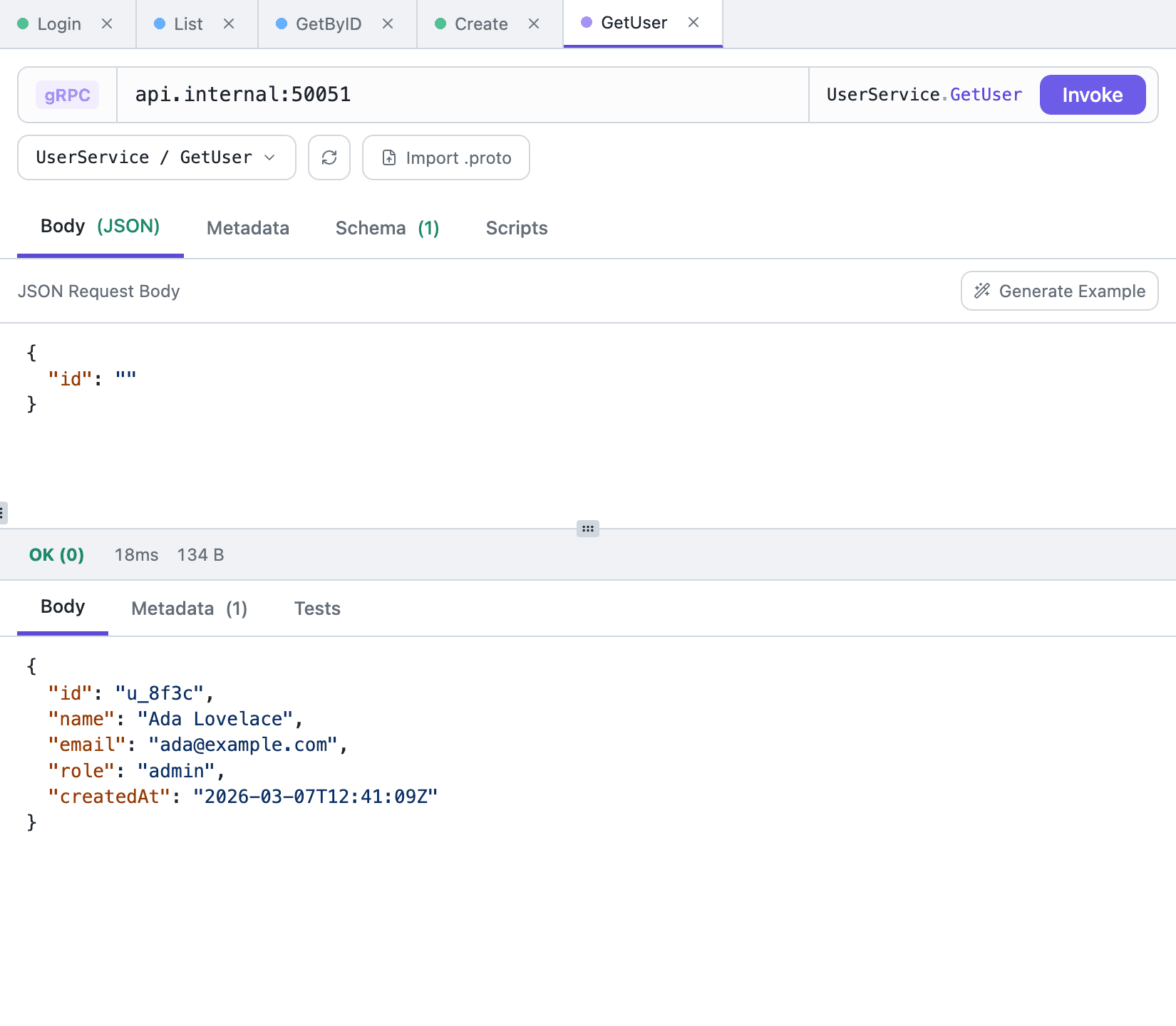
Hoppscotch Desktop sends requests itself, so CORS doesn't get in the way. It still has no gRPC, though: the feature request has been open since December 2019. Tetiva calls gRPC services using a schema from server reflection or .proto files, with one limit: unary methods only. A server behind TLS is called with a grpcs:// address.
Tetiva
v1.3.1
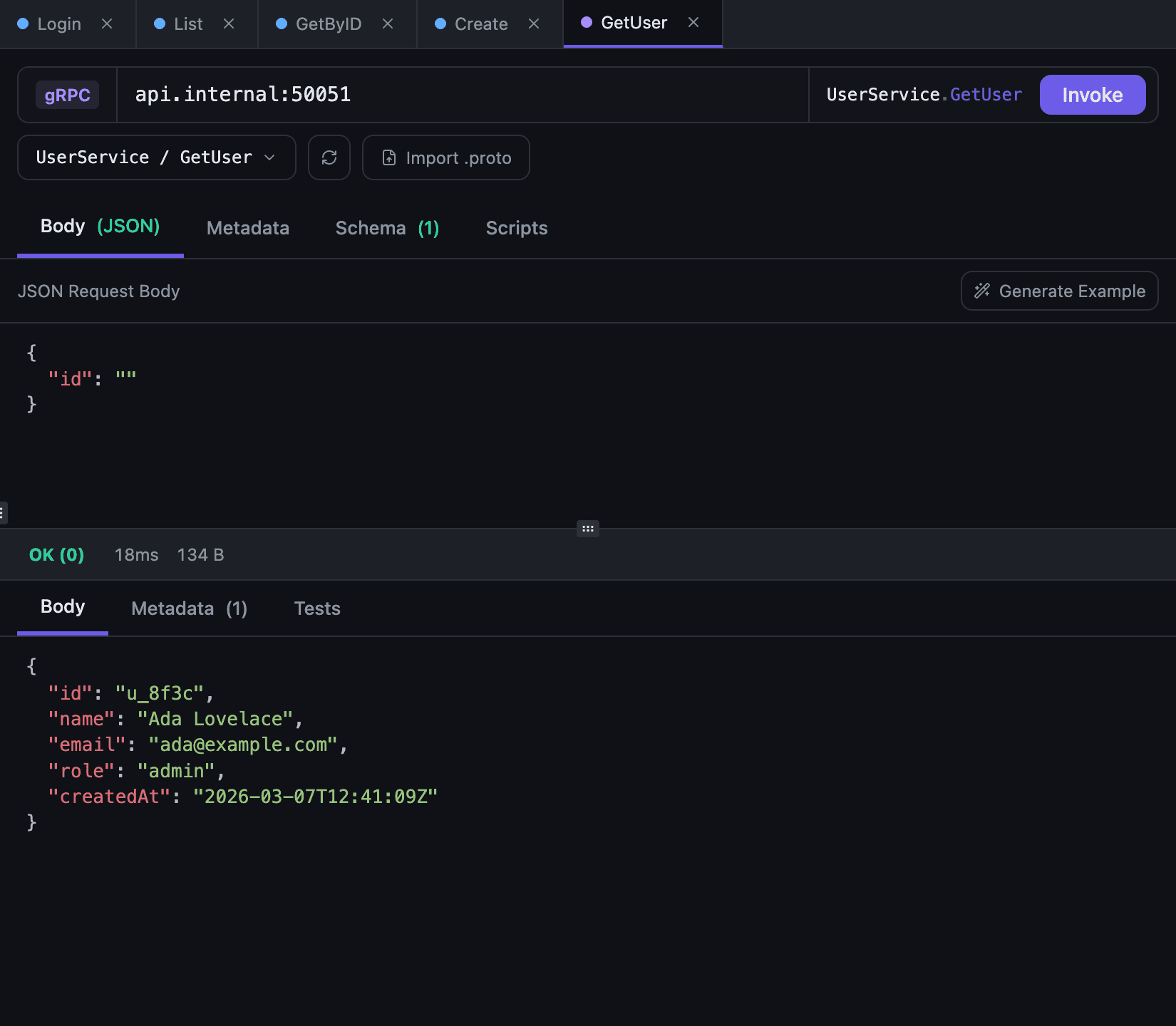
A gRPC request in Tetiva: the UserService/GetUser method is selected, and Invoke returned OK (0) with a JSON bodyA gRPC request in Tetiva: the UserService/GetUser method is selected, and Invoke returned OK (0) with a JSON body
A unary call: method from the service schema, response as JSON

Hoppscotch keeps the URL and the Params tab apart; in issue #2227 a maintainer says that keeps long URLs readable. Tetiva keeps them in sync: type ?page=2 and a row shows up in the table, edit a cell and the URL is rebuilt. WebSocket messages you send over and over can be saved with the request; in Hoppscotch that's still an open feature request, #3311.

On Linux, Hoppscotch Desktop 26.9.0 ships for x64 only and needs glibc 2.38; its README recommends Ubuntu 24.04 or newer. Tetiva runs on Ubuntu 22.04 and Debian 12, and has arm64 builds for Linux and Windows.

An MCP server that reads local data

Hoppscotch's MCP server is a separate npm package. It needs Node.js 22 and a Hoppscotch account, and it works with what's stored in that account.

Tetiva's MCP server runs inside the desktop app at 127.0.0.1:9300 and works on the local database: an agent can read and create collections, requests and environments and run saved requests. Enable it in Settings and restart the app, then connect the agent with the token. You don't need a Tetiva account for it.

When Hoppscotch is the better fit

Hoppscotch runs in a browser with nothing to install, and you can share a request as a link. It's MIT-licensed, and the free Community Edition lets you host the web app, teams and admin panel yourself.

Hoppscotch also supports SSE, Socket.IO and MQTT, none of which Tetiva has. It has mock servers, versioned published docs, a Collection Runner with CSV and JSON data sets, and a CLI that runs collections in CI with JUnit reports; some of that is on paid plans. Hoppscotch scripts can send requests of their own with pm.sendRequest and fetch; Tetiva's sandbox has no network access.

Moving requests from Hoppscotch

You can move a collection as a file. In Hoppscotch, export one collection or all of them (Export all) as JSON. In Tetiva, click the import button above the collection tree and pick Import File… from the menu. GraphQL collections come across the same way.

Folders, bodies, auth and saved responses arrive with the requests, and <<var>> becomes {{var}}. Collection and folder headers are copied into their requests, and collection and request variables go into an environment named after the collection. If a folder turned auth off in Hoppscotch, the confirmation dialog names it: in Tetiva its requests still inherit the parent's auth.

A Hoppscotch environment file, holding one environment or a list, imports the same way or from the Manage Environments dialog. Hoppscotch exports secret values empty, and Tetiva lists the variables to fill in.

Scripts come in only when you tick Import scripts. Ones written for pw.* or hopp.* need rewriting to pm.*; pm.* scripts run as long as they don't call pm.sendRequest, pm.globals or fetch, which Tetiva doesn't have. A single request can still move as cURL: Generate Code → Shell → cURL in Hoppscotch, then paste into the URL bar of an HTTP request in Tetiva. The import reference has the details.

Frequently asked questions

Who is Tetiva a good Hoppscotch replacement for?
For people who use Hoppscotch to hit their own services, localhost included, and don't rely on real-time collaboration, mocks, versioned published docs or the CLI. In Tetiva the collection tree sits next to the request and its response. The app itself sends HTTP, GraphQL, WebSocket and gRPC requests (unary only), with no browser tab, proxy or extension in between. If you need SSE, Socket.IO or MQTT, a team web platform on your own server, or a client that runs in a browser, Hoppscotch is the better fit.
Does Hoppscotch support gRPC?
No. The gRPC feature request has been open since December 2019. Tetiva supports gRPC with one limit: unary calls only. A server behind TLS is called with a grpcs:// address. Tetiva reads the schema through server reflection or from .proto files.
Why do I get CORS errors in Hoppscotch?
Because in the web app the browser tab sends the request by default, and browser rules apply to it. Hoppscotch's docs suggest the desktop app, the proxy or the browser extension, and recommend the Agent interceptor for most users. The default proxy runs on Hoppscotch's server; you can host Proxyscotch yourself instead. Tetiva has no web version, so the desktop app sends every request.
Can I use Hoppscotch without an account?
Yes. Signed out, the web app keeps collections in the browser's localStorage, and the desktop app keeps them in its own data folder. Signing in adds sync across devices; team workspaces are listed under the paid Business plan. Tetiva works without an account too and keeps collections, environments and history in ~/.tetiva/data.db; you sign in only for sync and publishing, and the Free plan syncs two devices.
Does Hoppscotch have an MCP server?
Yes, @hoppscotch/mcp-server: an npm package with 53 tools that needs Node.js 22 and a Hoppscotch account, and works with the collections in that account. Tetiva's MCP server is built into the app, has 33 tools and works on the local database without an account. Neither app includes an MCP client.
Can I self-host Hoppscotch or Tetiva?
Hoppscotch Community Edition is free under MIT: Docker containers or one all-in-one image, PostgreSQL, a Helm chart, and database migrations to run after the first start. Hoppscotch Desktop connects to it through Add an instance. Tetiva's client works locally without a server; syncing through your own server is part of the Business plan.
How do I move requests from Hoppscotch to Tetiva?
As a file. Export the collection from Hoppscotch as JSON and open it in Tetiva with Import File…: folders, requests, bodies, auth and saved responses come across, and <<var>> becomes {{var}}. A Hoppscotch environment file imports the same way or from the Manage Environments dialog, except that Hoppscotch exports secret values empty.

Download Tetiva

No accounts, no waitlists, no sales calls. Download, open, and send your first request within a minute.

  • macOS

    Universal (Apple Silicon + Intel) · ~32 MB · macOS 11+

    Download
  • Windows

    x64 · ~16 MB · Windows 10/11

    Download
  • Linux

    x64 · ~15 MB · Ubuntu 22.04+ / Debian 12+

    Download

Free and open source. A tool, not a platform.