A WebSocket request in Tetiva is shaped like the others — an address, tabs and a pane — except that a live connection replaces the single send. There are six tabs: Messages, Params, Auth, Headers, Scripts, Docs. The address, the environment picker, Settings and Connect sit in the bar above the tabs and stay in reach whichever tab is open; the request opens on Messages, which holds the status row, the session log and the composer. The connection is raw RFC 6455 and stays open as long as the tab does. The log is ephemeral — it lives in memory and disappears with the tab — while the request history records the handshake.
Connecting#
The protocol is chosen when the request is created: the New Request dialog offers WebSocket next to HTTP, gRPC and GraphQL. The address field then expects a URL with a ws:// or wss:// scheme; anything else is rejected with a validation error before a socket is attempted, so a plain HTTP address cannot slip through.
Connect (or Enter in the address field) opens the connection, and the same button turns into Disconnect. While the connection is live the address is read-only — disconnect first if you need to change it. The handshake has 30 seconds to complete. Nothing reconnects on its own: a dropped connection stays dropped until you press Connect.
Environment variables are resolved in the address, and the environment picker sits in the tab header, so {{ws_host}}/socket moves between environments without touching the request. See environments and variables.
Socket settings#
The Settings button between the environment picker and Connect opens a popover with two fields:
Ping every … seconds (0 = off)— the client sends a ping at that interval and waits 10 seconds for the answer. If none arrives, a system row readingkeepalive ping timed outlands in the log and the connection is treated as dropped.Subprotocols (comma-separated)— the subprotocol list offered in the handshake,graphql-ws, jsonfor example.
Apply writes both into the request. While a connection is live the popover says Applies on the next connection. — reconnect for the new values to take effect. The subprotocol the server agreed on shows as a chip in the status row.
Auth and cookies#
Auth is applied to the handshake — the HTTP request that upgrades into the socket. The Auth tab of a WebSocket request offers Inherit, None, Basic Auth, Bearer Token, API Key, OAuth 2.0 and JWT Bearer. Digest and AWS Signature are HTTP-only: if one of them is still set on the request, an amber line under the picker names it — Digest is supported for HTTP requests only; this request will fail to send. Inheritance from a collection behaves as usual — see authentication.
Workspace cookies matching the address are attached to the handshake, and a Set-Cookie on the 101 response is written back into the same jar. It is the jar HTTP requests use, so the usual order works: log in with a normal POST, then open the socket with the session cookie already in place.
The pre-connect script#
The Scripts tab of a WebSocket request has a single button, Pre-connect. There is no post-response phase, because there is no single response to attach one to. The script runs before the handshake, and anything it writes with pm.environment.set is substituted into both the address and the handshake headers and saved into the active environment as soon as the script finishes — before the handshake, so it stays there even if the connection is refused. A script that fails stops the connection before it starts: the log reads The pre-connect script of this request failed: with the error, its line and what the script printed, and nothing is saved.
The script cannot fetch a token itself: the sandbox has no network and no timers, and it gets 5 seconds. What it can do is compute a value or move one that already exists — a signature, an identifier, a timestamp. The full pm.* surface is on Scripting.
Sending messages#
The bottom of the Messages tab holds a format switch and the composer. There are three formats:
JSON— an editor with syntax highlighting;Text— the same editor without it;Binary— a single-line field with abase64 payloadplaceholder. The string has to be valid padded base64, otherwise the send stops withBinary messages must be base64.
Send it with the Send button or Cmd/Ctrl+Enter — in a WebSocket tab that shortcut sends the message instead of executing the request, as it does for the other protocols. The box is cleared after sending, and Send is only enabled while the connection is live.
Environment variables are resolved in text messages, and resolved again on every send, so a token refreshed elsewhere is picked up without reconnecting. Binary frames go out as typed.
The line appears in the log immediately; if the write to the socket fails, the row is dimmed and marked with a warning sign so a lost message is not mistaken for a delivered one.
Saved messages. The Save button next to Send is enabled as soon as the composer holds something other than whitespace: it asks for a name (Message name, Enter to save, Esc to cancel) and pins the message as a chip above the composer. Clicking a chip puts the message back into the composer, double-clicking renames it, and the × removes it without a confirmation. These drafts live inside the request itself, so they survive a restart and travel with it.
The session log#
Every row carries a direction, a timestamp and the payload. Incoming frames are green, outgoing are violet, and system rows about errors and disconnects use their own color. Long payloads are truncated to the width of the pane; clicking a row expands the full body and clicking again collapses it. The log follows the newest message. There are no clear or filter buttons.
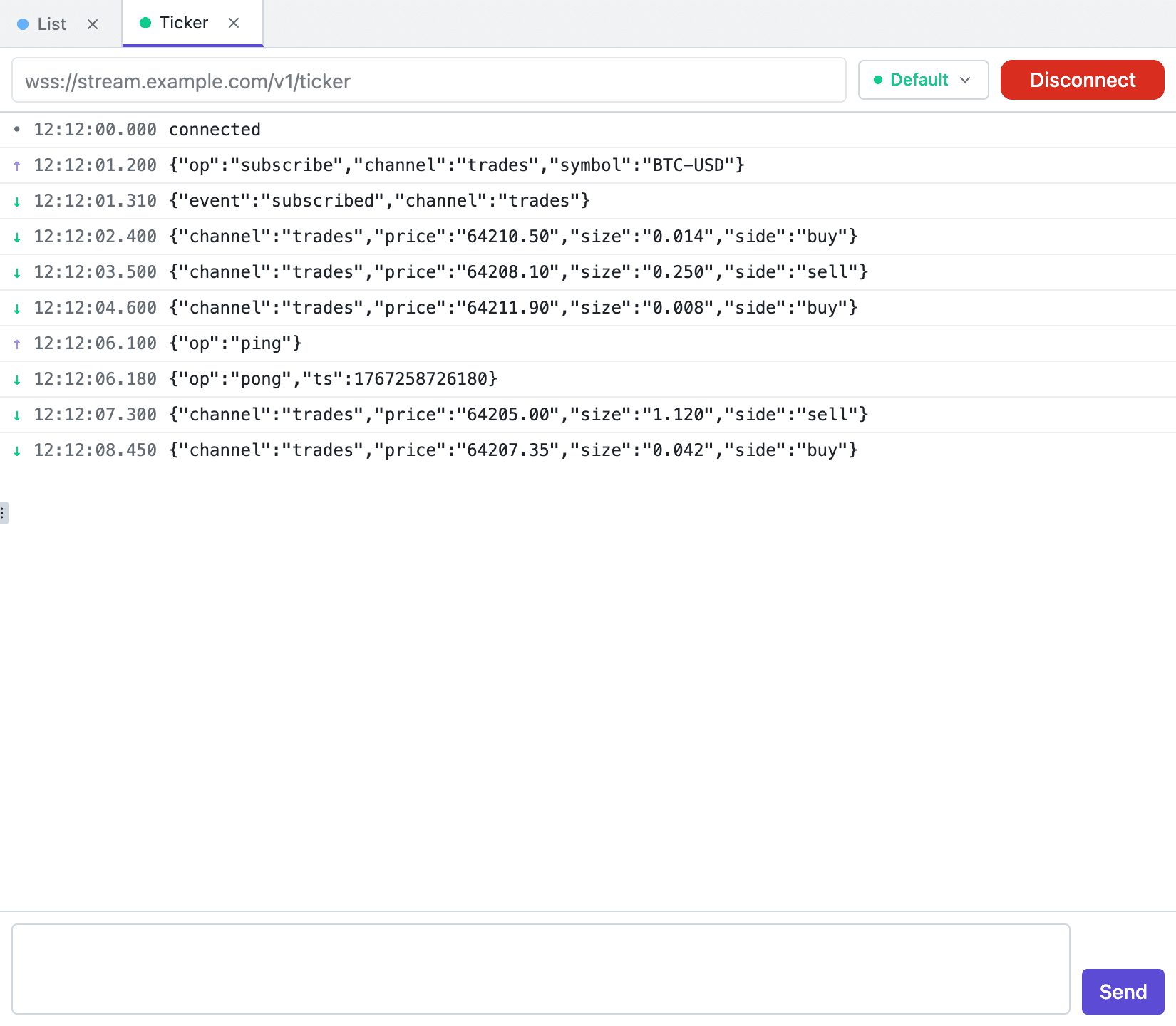
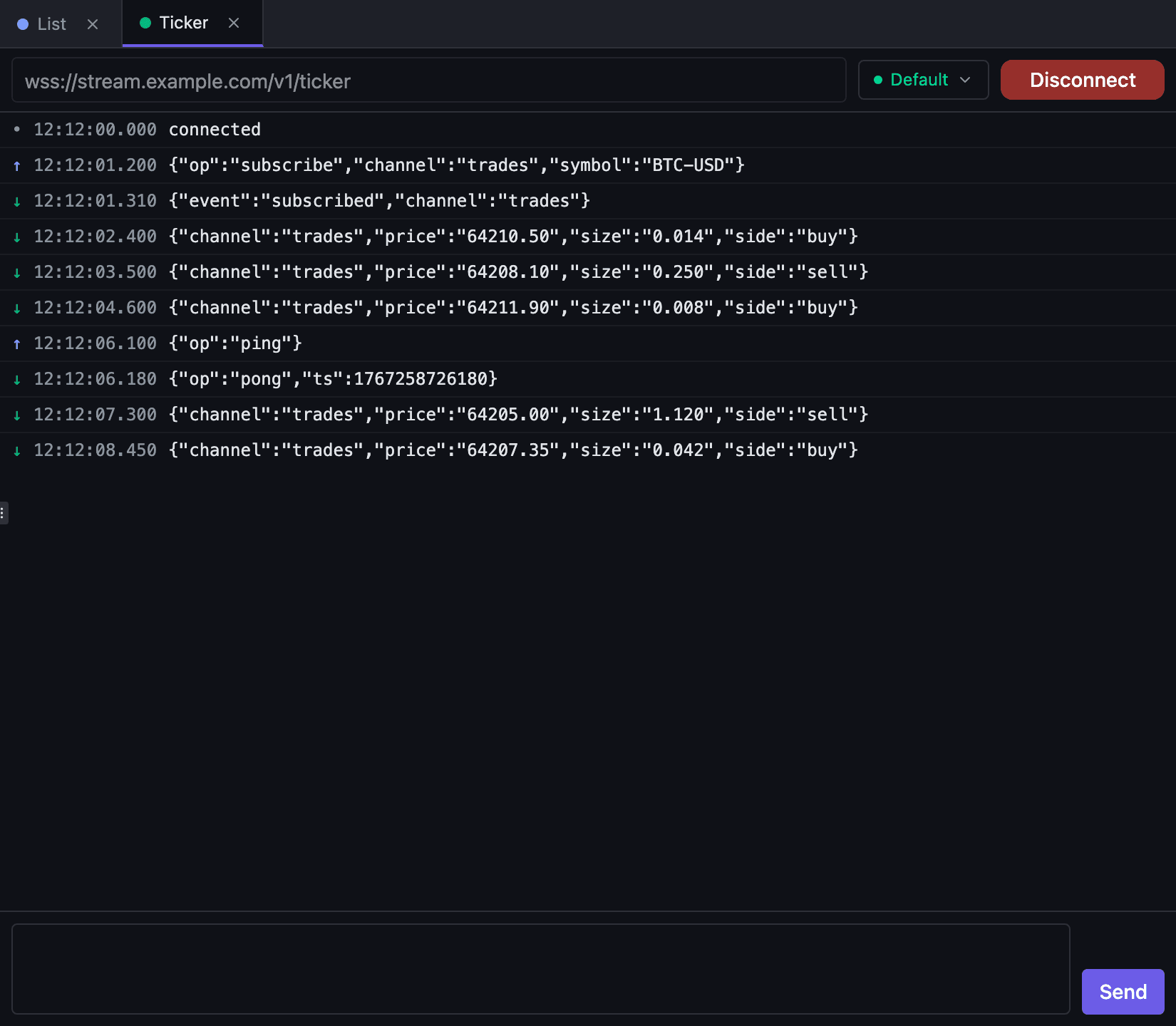
Incoming binary frames arrive Base64-encoded and carry a BIN chip in the log — raw bytes do not survive the app's event boundary intact. A single incoming message is limited to 8 MiB.
What is kept and what is not#
The log only exists while the tab is open. Closing the tab drops the connection and discards the messages; reopening the request gives you an empty log with No messages yet. Saved messages and socket settings are written straight away — on Apply and on confirming a message name; the rest — name, address, Params, Auth, Headers, Scripts and Docs — is saved with Cmd/Ctrl+S.
The request history gets one record per connection: the address, the request headers as the app resolved them, the response code (101 on success, or whatever status a refused handshake returned — commonly 401 or 403), the response headers and the connection time. The response side is the real one; the request side is what was assembled before dialling, so jar cookies and the Sec-WebSocket-* headers the library adds are not in it. Session messages are not written to history, so copy anything you need out of the log before closing the tab. WebSocket has its own chip in the history filter — WS, next to HTTP, gRPC and GraphQL. History and replay are covered in response viewer.