Authentication is configured in the Auth tab of the request editor and turns into an ordinary header or query parameter before the request is sent. The Authorization Type picker has nine entries: Inherit, None, Basic Auth, Bearer Token, API Key, OAuth 2.0, JWT Bearer, Digest, AWS Signature. The tab label carries a badge with the current type — (Bearer), (OAuth2), (AWS) — so you can tell at a glance without opening it.
The types#
Inherit. The request stores no fields of its own and takes its credentials from a parent collection; the lookup is described below.
None. Nothing is added. An Authorization header you typed by hand in the Headers tab still goes out — Tetiva leaves it alone.
Basic Auth. Username and Password fields. The request carries Authorization: Basic <base64(username:password)>. The eye button next to the password reveals what you typed when you need to check it.
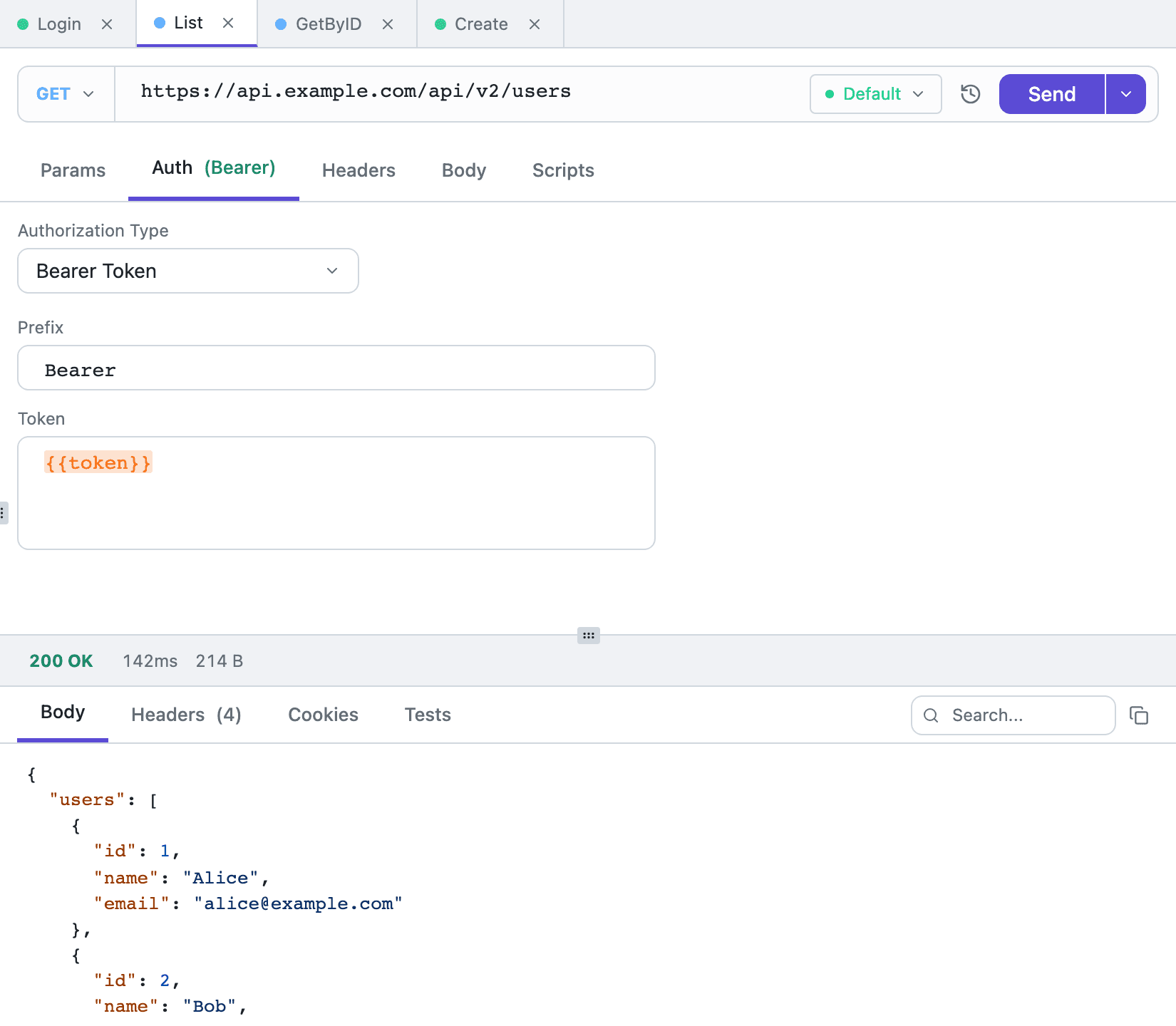
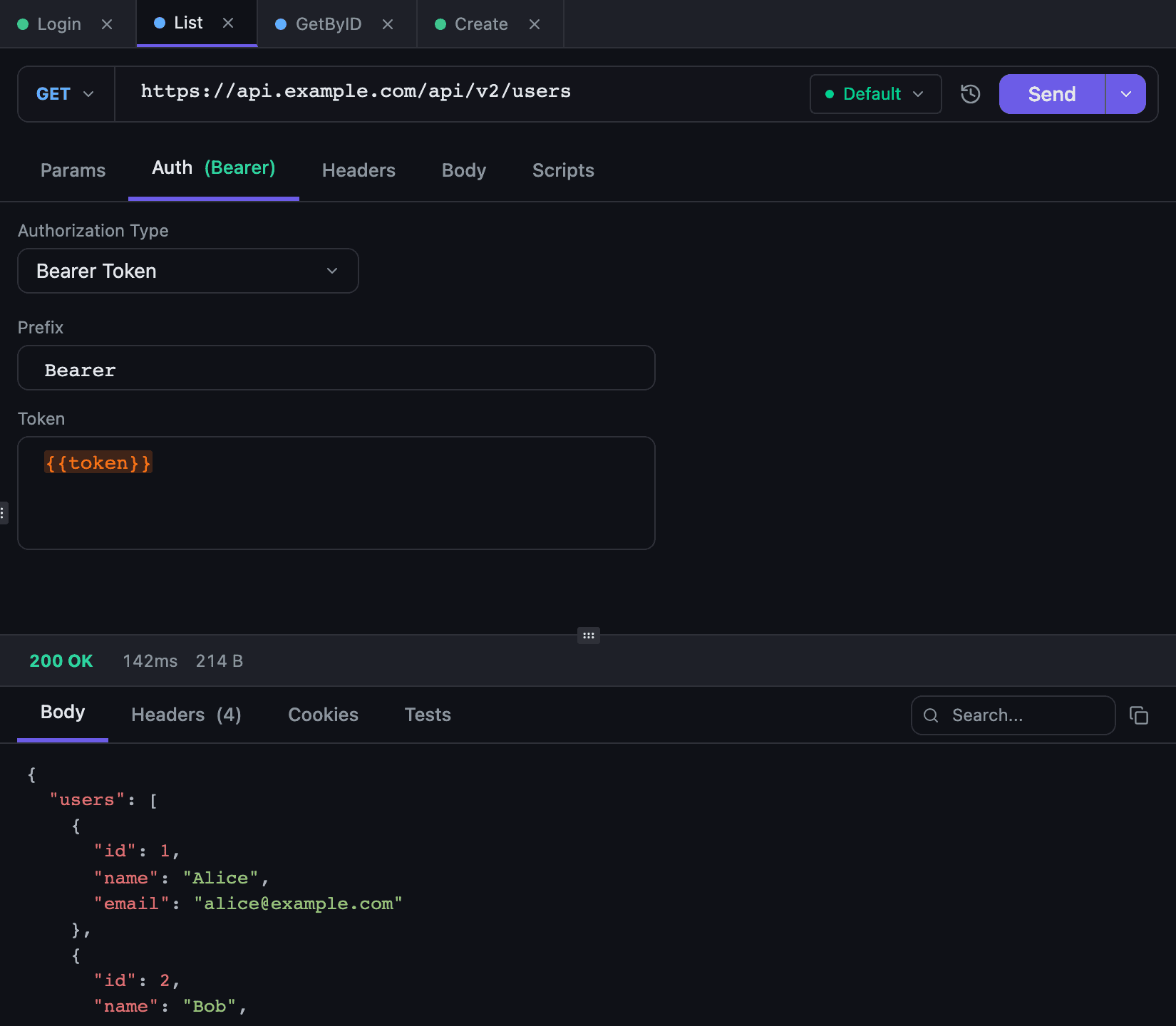
Bearer Token. Prefix and Token fields. The prefix defaults to Bearer, producing Authorization: Bearer <token>. Replace it with something else — Token, for instance — or clear it entirely, in which case the header contains the raw token value with no prefix and no space. The token is masked like the Basic password, and the eye button shows it. A value made only of {{variable}} references stays readable. With an empty token no Authorization header is sent at all, as the hint under the field says, and a pasted token loses its trailing newline.
API Key. Key and Value fields plus an Add to switch. The key value is masked the same way as the token. Leave the key name empty and nothing is added, as the hint under Key says; a pasted value loses its trailing newline too.
Headerputs the pair into the request headers as typed.Query Paramsappends the parameter to the URL: the value is encoded, and a parameter of the same name already present in the query string is replaced.
In header mode five names are refused — host, content-length, authorization, connection, transfer-encoding. Sending with one of them fails with an explicit error instead of quietly overwriting a protocol header. If Authorization is what you want, pick Bearer or Basic.
The remaining four schemes carry more machinery, and each has a form of its own.
OAuth 2.0#
The form starts with a grant picker. There are four: Client Credentials, Password Credentials, Authorization Code, Device Code. The fields change with the grant.
Shared fields: Token URL, Client ID, Client Secret, Client Authentication (Basic header, Request body or None (public client)), Scope, Audience, and below them Add token to with Header and Query Params, paired with Header Prefix or Query Parameter. Password Credentials adds Username and Password, Authorization Code adds Authorization URL and Redirect Port, Device Code adds Device Authorization URL.
Get token starts the flow, Clear drops the token you have, Cancel aborts a flow in progress. For Authorization Code the app opens the browser itself, with Open again and Copy link next to the wait panel in case it did not. For Device Code you open the link yourself, with Open.
There is no Refresh button: an expiring token is refreshed from its refresh token automatically, right before the request goes out. Without a usable refresh token it depends on the grant — Client Credentials and Password Credentials fetch a new token on their own, while Authorization Code and Device Code ask you to press Get token again. The current state is spelled out in the line above the buttons — Valid until 14:05, Valid until Sep 8, 14:05, Valid, Expired, will refresh, Expired or No token.
Authorization Code always uses PKCE; there is no switch for it. The redirect is caught by a local listener on 127.0.0.1, so the redirect URI looks like http://127.0.0.1:<port>/callback. The port comes from Redirect Port, whose hint reads Loopback port for the callback; 0 picks a free one. and which defaults to 21830. A busy port is reported as an error under the field — set it to 0 and one is picked for you. Reloading the window does not cancel the wait.
Tokens live in the local database. They are not synced between machines and never leave in a collection export. The credentials behind the token are another matter: a Postman export writes the client secret, the password, the AWS secret key and the JWT private key into the file in clear text.
JWT Bearer#
The token is signed at send time, so there is nothing to store and nothing to refresh.
Thirteen algorithms are available: HS256, HS384, HS512, RS256, RS384, RS512, PS256, PS384, PS512, ES256, ES384, ES512, EdDSA, with HS256 as the default. The HS family shows Secret and Secret Encoding (Plain text or Base64 encoded); everything else shows Private Key.
Then come Payload (claims), Expires In (seconds), JOSE Header and the familiar Add token to with Header Prefix or Query Parameter. By default the token goes out as a header with the Bearer prefix, lives 3600 seconds, and uses token as the query parameter name.
Three hints in the form are worth reading in full:
iat and exp are added at send time unless the claims set them.— you do not write the issue time or the expiry by hand;0 signs a token without exp.— that is how you get a token with no expiry;kid, typ, cty, x5t, x5u and jku only — alg comes from the algorithm above.— only those fields belong inJOSE Header;algcomes from the picker.
Digest#
The form has two fields, Username and Password. There is no algorithm picker: the server dictates it in its challenge and the client answers in kind. The hint under the fields says exactly that: The algorithm follows the server challenge: MD5, SHA-256 and SHA-512-256 are supported.
The challenge and the retry happen inside a single request, so history holds one record — and the Authorization header is not written into it at all.
What Digest does not cover here: the -sess variants and qop=auth-int. A server asking for MD5-sess fails with server requires MD5-sess, which is not supported. Redirects are off for Digest: an answer to a challenge has to reach the address it was computed for.
AWS Signature V4#
The picker labels this scheme AWS Signature. Fields: Access Key ID, Secret Access Key, Session Token (hinted Only for temporary STS credentials.), Region and Service. All of them are required except Session Token.
The signature covers the host header, every x-amz-* header, content-type and content-md5. X-Amz-Date is always set, X-Amz-Security-Token when a session token is present, and X-Amz-Content-Sha256 for s3 services. Redirects are off here as well.
Variables in auth fields#
Every auth field understands {{variables}}: highlighting, completion after {{, and the hover peek behave exactly as they do in a request body. The common setup is a {{token}} reference in the Bearer field with the value refreshed by a post-request script after login.
Substitution happens after the pre-request script runs, so a token written by pm.environment.set lands in the header during the same run. It runs over the parsed fields rather than their serialized text, so quotes and backslashes inside a password or a key do not break the request. See Environments and variables and Scripting.
Inheriting from a collection#
A collection has credentials of its own: “Open Details” → the Authorization tab. Its list is a request's minus one entry: where a request has both Inherit and None, a top-level collection has No Auth and a nested one has Inherit. Either way the collection adds nothing of its own.
A nested collection on Inherit shows what its requests will get: Requests in this collection inherit auth from parent collections, then the scheme and the collection it comes from, with the token status for OAuth 2.0. When no collection above sets auth, it says No parent collection sets auth — requests here go without it unless they set their own. A top-level collection on No Auth reads Requests here go without auth unless they set their own.
A request set to Inherit stores no fields of its own. It searches upward instead:
- Start with the collection the request belongs to.
- If that collection has a scheme of its own, use it and stop.
- If it is on
Inherit(No Authat the top level), ask its parent the same question, and so on toward the root. - If nothing is found, the request is sent without authentication, and its Auth tab says
No parent collection sets auth — this request goes without it.
The walk is capped at 50 levels of nesting. In practice that is a guard against a corrupted tree rather than a working limit — nobody builds folders that deep.
The Auth tab shows the result of that search. It reads This request inherits authentication from its parent collection, and under it the owner — OAuth 2.0 configured on collection “Payments”, for instance. The collection name is a button that opens that collection's tab on the Authorization section. For an inherited OAuth 2.0 setup the token status is added: Valid until 14:05 — manage the token on that collection's Auth tab. An inherited Bearer with an empty token or an API key without a name gets an amber line, such as Its token is empty, so no Authorization header is sent.
The practical shape that follows: keep shared credentials on the top collection of a service, leave intermediate folders on Inherit so they stay transparent to the search, and override only where an endpoint genuinely differs — /auth/login, which needs no token at all, being the usual example.
Order of operations#
Before an HTTP request goes out, Tetiva runs a fixed sequence: variable substitution → pre-request script → authentication → automatic Content-Type. A pre-request script that fails ends the sequence there, and nothing is sent — see Scripting.
One consequence surprises people: auth is written last and overwrites whatever was there before. If your pre-request script sets its own Authorization header while the Auth tab is on Bearer, the Auth tab wins. To let the script own the header, set the type to None.
Where auth is not applied#
The Auth tab covers HTTP, GraphQL and the WebSocket handshake. Digest and AWS Signature are HTTP-only, though: for GraphQL and WebSocket they are not offered as new choices, and a request that already carries one keeps it visible in the picker with an amber line under it naming the scheme — Digest is supported for HTTP requests only; this request will fail to send.
gRPC requests have no Auth tab and never take a collection's auth, whatever scheme it has: credentials travel as metadata instead — typically an authorization key with a Bearer {{token}} value. Metadata values support variables the same way, but metadata itself is not inherited from a collection: to share one key across a whole collection, set it from the collection's pre-request script with pm.request.metadata.set — see gRPC.
Of the well-known schemes, NTLM, Hawk and OAuth 1.0 are the ones Tetiva does not implement. Anything that signs the body in a non-standard way is still built with a pre-request script: compute the value, store it in a variable, and reference that variable from the Bearer or API Key field.
Where credentials are stored#
Credentials live in the local SQLite database next to the rest of the request and collection fields, in plain text. MCP tools do not hand them out: auth_data is replaced with [redacted] in responses, and credential-bearing header values and query parameters are masked as well — see MCP server.
Replaying from history does not carry credentials either. Replay builds a draft with the type set to None and strips every credential header (Authorization, Cookie, X-API-Key and the like), query parameters named like credentials, such as token or api_key, and any parameters that auth added. In history recorded from 1.3 on, the header an API key went out in under a custom name is stripped too. A banner on the draft says its auth and credential headers were left out. History stores the request as it was resolved before transport, not a copy off the wire: cookies from the jar, the Digest authorization and the AWS signature are added after that point and are missing from the record, and a GraphQL entry keeps the query text before variable substitution — see Response viewer.
Copy as cURL works the other way round: it uses the token you already have and never goes to the network for one. With no OAuth 2.0 token cached, the command goes out without Authorization and with a warning — no cached OAuth 2.0 token: the command carries no Authorization; get a token in the Auth tab first. Digest becomes --digest -u, AWS Signature becomes --aws-sigv4; the details are in Import and export.
Folder-level configuration is also covered in Collections.