Tetiva runs JavaScript at two points of a request: before it is sent (Pre-request) and after the response arrives (Post-response). A pre-request script injects a header, computes a signature, or writes an environment variable; a post-response script reads the body, stores a token, and asserts the result with pm.test. Scripts live on the Scripts tab of a request or a collection, run in a sandbox with no file or network access, and everything they print shows up on the Tests tab next to the response.
Where scripts live#
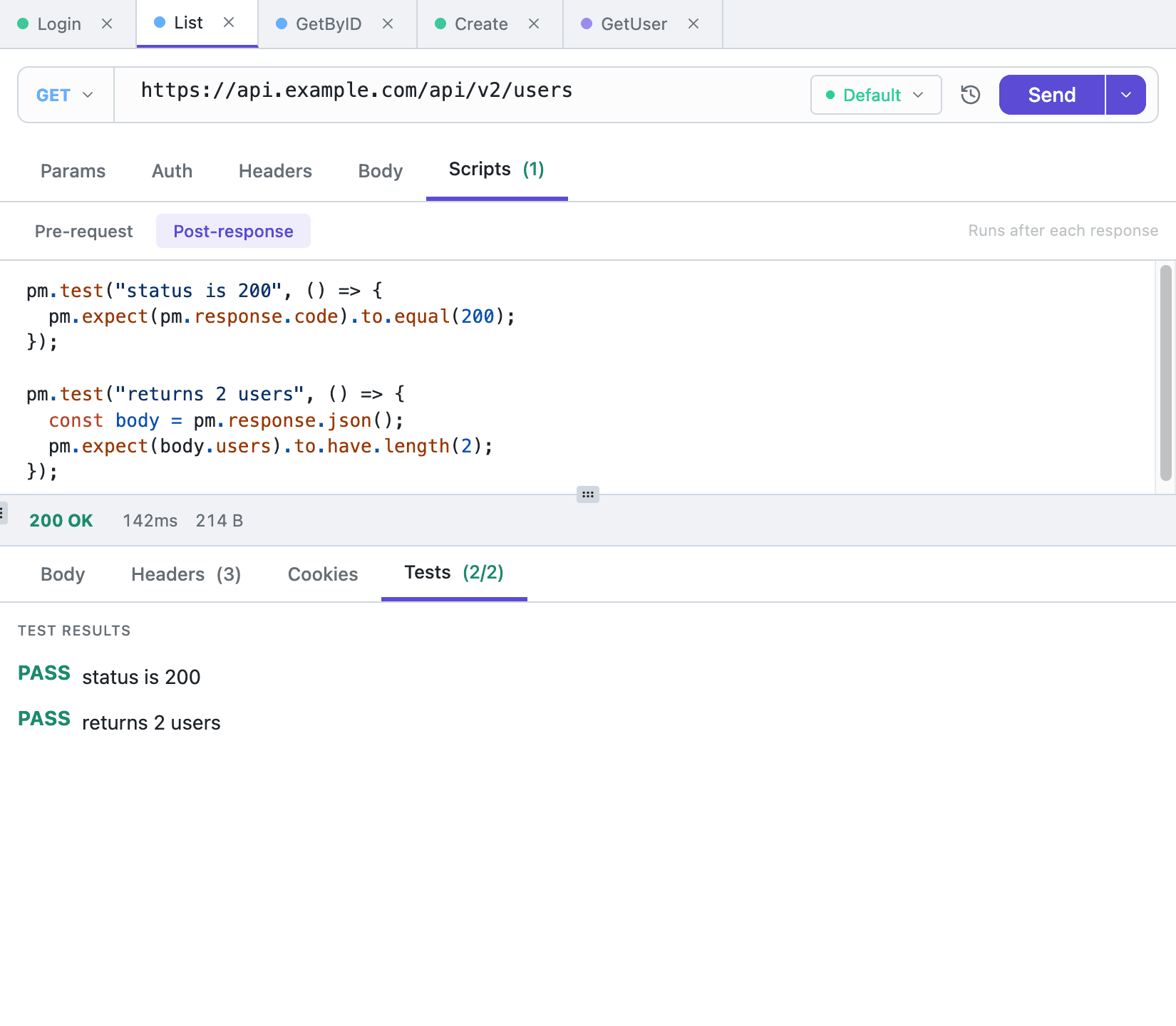
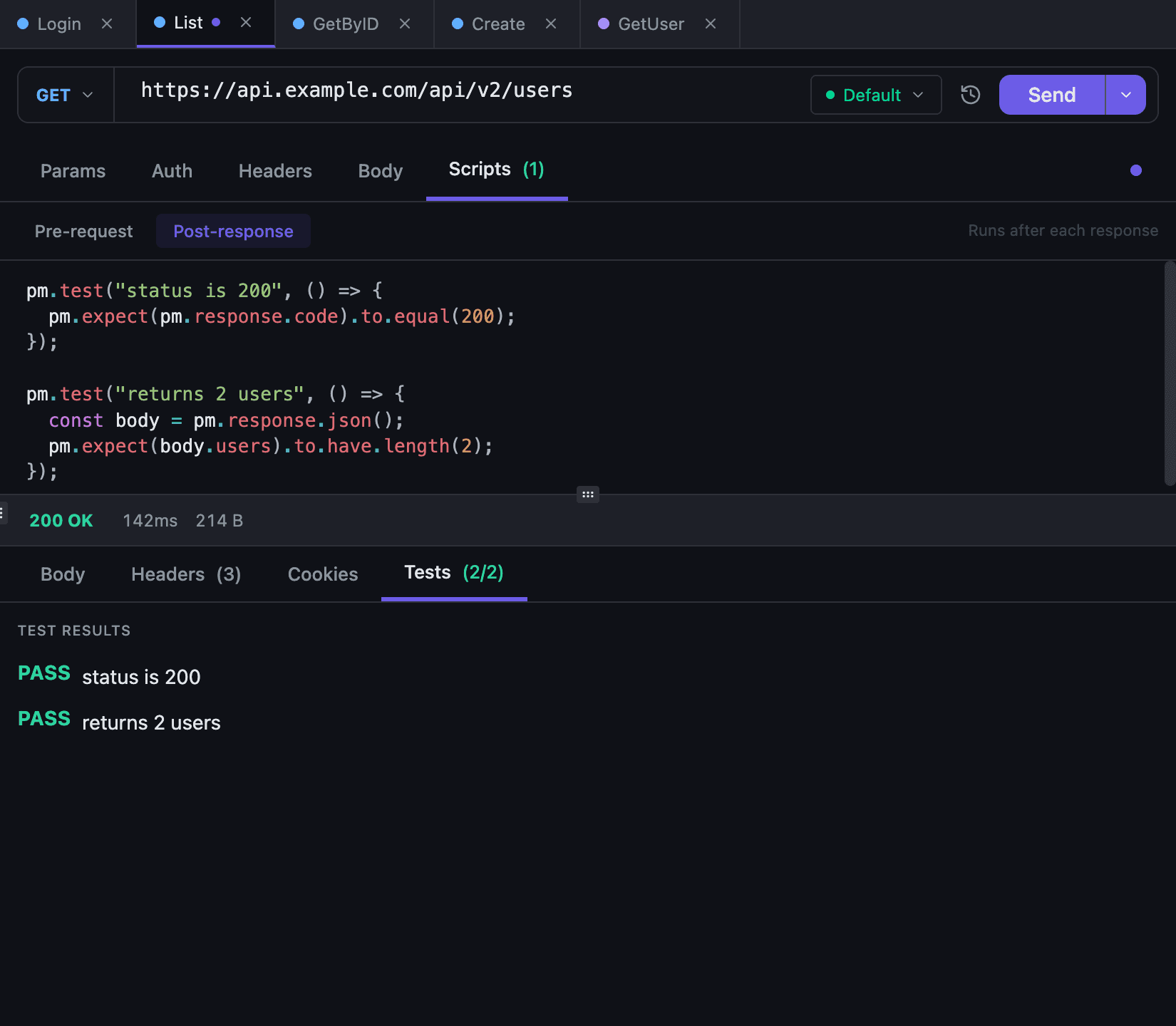
Every request and every collection has a Scripts tab (for collections, open it through Open Details in the context menu). Inside are two buttons — Pre-request and Post-response — each with its own editor, and switching between them keeps the undo history.
A WebSocket request has a single button, Pre-connect: the script runs before the handshake, and there is no post-response phase — see WebSocket.
The editor completes pm. as you type, and {{var}} placeholders resolve the same way as in a request body: hover one to see the value from the active environment, with secrets masked.
Inheritance: request → collection → parent#
A script on the request replaces the collection script entirely. When the request field is empty or holds only blank lines, Tetiva walks up the collection tree and takes the first non-empty script it finds (the walk stops after 50 levels). Pre and post inherit independently, so a post-response script can come from a collection while the pre-request script is defined on the request itself.
A shared auth script therefore belongs on the root collection: it applies to everything underneath until a request defines its own.
The pm.* surface#
Available in both phases:
| Call | What it does |
|---|---|
console.log(...) | Prints into the Console block on the Tests tab; an object or an array prints as JSON. warn, error and info write to the same stream — there are no levels |
pm.environment.get(key) | Variable value, or undefined |
pm.environment.set(key, value) | Sets a variable; the value is coerced to a string |
pm.environment.unset(key) | Drops a variable from this run |
pm.collectionVariables.get/set/unset | Same as pm.environment: works on the active environment's variables |
pm.variables.get/set/unset/has, replaceIn(text), toObject() | Variables of this run: a value set in a pre-request script fills the request's {{variables}} and reaches its post-response script, but is never saved to the environment. get falls back to the environment |
btoa(text), atob(base64) | Base64, as in a browser. atob also takes base64url and a value without padding, so JSON.parse(atob(jwt.split('.')[1])) reads a JWT payload |
pm.expect(value) | A chai 4.5 assertion, as in Postman. Outside pm.test, a failed assertion is a script error |
pm.request.method | Request method |
pm.request.url | URL after variable substitution |
pm.request.protocol | http, grpc, graphql or websocket |
pm.request.headers.upsert({ key, value }) | Adds a header or replaces an existing one; the name matches in any case, so content-type replaces Content-Type |
pm.request.headers.add({ key, value }) | Adds a header, as a second value when one with that name exists |
pm.request.headers.remove(key) | Removes a header, whatever the case of its name |
pm.request exists in both phases, but headers.add, upsert and remove do nothing in a post-response script: the request is already on the wire and the modified copy is never read.
gRPC adds pm.request.service, pm.request.grpcMethod, pm.request.message (the JSON body) and pm.request.metadata with get(key), set(key, value), remove(key) and toObject(). Metadata reaches the script as a copy: set changes what goes on the wire, while the stored request stays untouched. See gRPC.
GraphQL adds pm.request.graphqlVariables and pm.request.graphqlOperation. See GraphQL.
Post-response only:
| Call | What it does |
|---|---|
pm.response.code | Response code as a number |
pm.response.status | The reason phrase, "OK", as in Postman; the status name for gRPC |
pm.response.text() | Response body as a string |
pm.response.json() | Body parsed as JSON; invalid JSON yields undefined instead of throwing |
pm.response.responseTime | Response time in milliseconds |
pm.response.headers.get(name), pm.response.headers.has(name) | A response header's value (name matched case-insensitively) or undefined; whether the header is there |
pm.response.to.have.status(...), .header(...), .body(...), .jsonBody(...), pm.response.to.be.json | Response checks, as in Postman; status takes a code or a reason phrase |
pm.response.to.be.ok, success, clientError, serverError, notFound and others | Status class; for gRPC ok and success mean status 0 |
pm.test(name, fn) | A test: fn returning normally is PASS. A failed assertion is FAIL with its message, as in Postman (AssertionError: expected 200 to equal 201); any other error, a TypeError say, is FAIL with the line it broke on |
For gRPC there are two extras: pm.response.statusText (the status name) and pm.response.metadata, a plain object holding the first value of each key.
Assertions use chai 4.5, as in Postman: pm.expect(x).to.equal(y), eql, include, property, lengthOf and the rest. A plain throw still fails a test too.
What happens to variables#
Values written with pm.environment.set land in the active environment once the request finishes: existing variables are updated, missing ones created as regular (non-secret) variables. With no active environment, the changes live only inside that run. pm.variables.set never reaches the environment: the value wins over an environment variable of the same name for this request only. Resolution order is covered in Environments and variables.
Headers the script sets are substituted as well, in every protocol. A {{variable}} written by a script used to travel to the server verbatim; now it is expanded before the request goes out like everything else.
Sandbox limits#
- No filesystem, no network:
fetch,XMLHttpRequest,WebSocket,require,process,module,Bufferand__dirnameare undefined. - No timers:
setTimeoutandsetIntervaldo not exist.Promiseis there, but nothing can defer work. - Standard
JSONandMathare available, and so arebtoaandatob. pm.globalsandpm.sendRequestexist only to fail with a clear message:pm.globals is not supported in Tetiva; use pm.environmentandpm.sendRequest is not supported in Tetiva: scripts cannot make network calls.- No state survives a run — each script gets a fresh VM, so globals from the previous run are gone.
- Five seconds per phase. A script that ignores the interrupt — a backtracking regular expression is the classic case — is left running in the background instead of holding the request.
- Memory is not capped. Worth remembering before you run someone else's collection.
When a script fails#
A pre-request script that throws or runs out of time stops the send, as in Postman. The request does not go out, nothing lands in History and the environment keeps its values. The response pane says Request not sent: The pre-request script of this request failed: (or of collection “Payments” when the script came from a collection), then the error with its line and column, where to fix it, and the Console lines the script printed before it failed.
A post-response script that fails leaves the response in place. Tests that passed before the failure stay on the Tests tab along with the console output, and Script Errors reads Post-response: with the message and (line 5, column 6). The environment changes that script made are not saved.
Tests and console#
The Tests tab holds three blocks: Test Results with PASS/FAIL per pm.test, Console with output from both phases (lines tagged [pre] and [post]), and Script Errors with the phase and message. The tab badge shows passed/total, or a dot when there is only console output. More on the response pane in Response viewer.
Examples#
Pre-request: a trace header and a guard.
pm.request.headers.upsert({ key: "X-Request-Id", value: String(Date.now()) })

var token = pm.environment.get("access_token")
if (!token) {
  console.warn("access_token is empty — run the login request first")
}
Post-response: store the token, assert the reply.
var data = pm.response.json()

pm.test("status is 200", function () {
  pm.response.to.have.status(200)
})

pm.test("token returned", function () {
  pm.expect(data).to.have.property("access_token")
})

if (data && data.access_token) {
  pm.environment.set("access_token", data.access_token)
}
Copy as cURL and scripts#
Copy as cURL on an HTTP request runs the pre-request script as a dry run: header and variable changes show up in the command, but nothing is written to the database and no history entry is created. If the script fails, nothing is copied: the toast names the error, and its Generate code… button copies the command without running the script. The command never goes to the network for an OAuth 2.0 token either — with none cached it goes out without Authorization and carries a warning. The other Copy as entries, Copy as cURL on a GraphQL request and the Generate code dialog do not run the script and warn that it was skipped. See Import and export.
Scripts written for Postman may need edits: only the pm.* subset listed above is implemented, so pm.sendRequest, pm.globals or require have to go: a script that calls one of them fails on that line, and in a pre-request script that stops the send. What survives a migration is covered in Migrate from Postman.